

Most PMs don't fail because they lack strategy. They fail in the first fourteen days, when nobody's sure who owns what, meetings multiply without purpose, and the risk register is a Slack thread someone forgot to pin. By the time things feel off, you're three sprints in and spending every standup firefighting instead of actually running the project.
This is a working playbook. Everything below is fillable, printable, or copy-pasteable. If you're walking into a software or product project cold, you can stand up the whole operating rhythm in two weeks using what's here. No operating-model philosophy, no maturity models — just the routines and templates that keep a project from drifting.
Start with the thing most people skip.
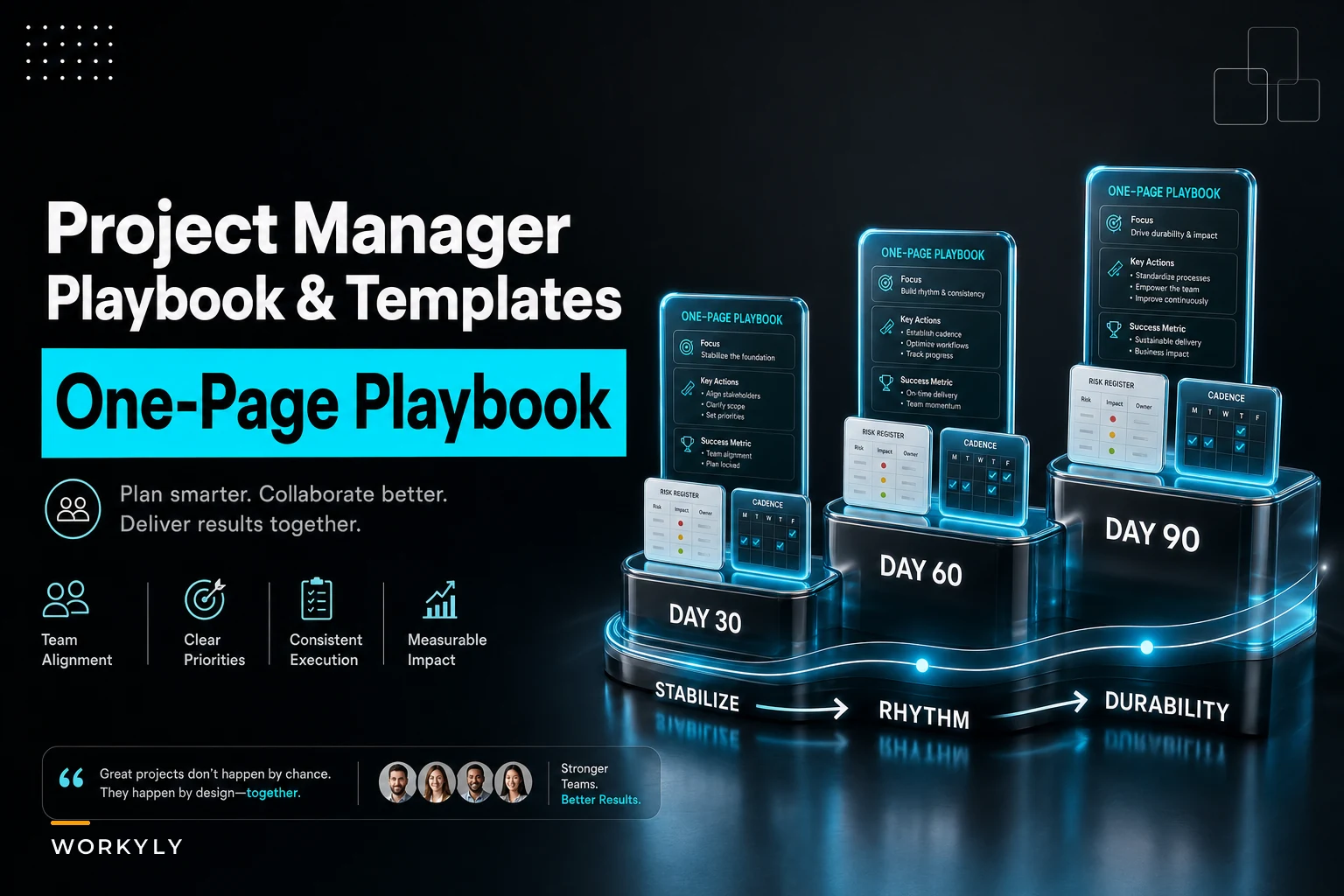
The One-Page Playbook (Print This and Pin It)
The single biggest predictor of whether a project stays coordinated is whether everyone can answer four questions without thinking: Who decides? When do we meet? When do I escalate? How do we know we're winning?
If those answers live in your head, they don't exist. Put them on one page and physically hand it to the team during kickoff.
Here's the structure that holds up across software projects:
| Section | What goes here | Keep it to |
|---|---|---|
| Roles | Named humans against each role — PM, tech lead, product owner, QA owner, exec sponsor | 5–6 roles max |
| Meeting cadence | Which meetings exist, how often, who's required vs optional | 3–4 recurring meetings |
| Escalation ladder | Who you go to, in what order, with what trigger | 3 tiers |
| Success metrics | 3–4 metrics the team actually tracks weekly | No vanity metrics |
A real version of the escalation ladder looks like this:
-
Tier 1 (team-level) Blocker unresolved for >1 business day → raised to tech lead in daily sync.
-
Tier 2 (project-level) Scope, budget, or timeline risk → PM convenes product owner + tech lead within 24 hours.
-
Tier 3 (sponsor-level) Decision requires money, headcount, or a date change → written summary to exec sponsor, decision expected in 48 hours.
Notice the triggers are specific. "Escalate when it's important" is useless. "Escalate when a blocker crosses one business day" is something a junior engineer can act on without you in the room.
Teams that define escalation triggers numerically tend to escalate earlier and smaller. Teams that leave it to judgment escalate late and loud, usually after the damage is done. If you want a deeper look at how decision authority ties into cadence, the piece on leadership routines that maintain operating cadence and signal priorities covers the signaling side of this well.
Kickoff Agenda (90 Minutes, Done Once, Done Right)
The kickoff isn't a status meeting and it isn't a celebration. It's where you install the operating system. Run it as a slideshow and you've mostly wasted it.
Stop losing track of your priorities.
Workyly helps you organize, assign, and track every task efficiently.
- Centralized task management
- Real-time collaboration
- Intelligent workflow automation
No credit card required
A kickoff that actually sets up the next 90 days spends its time like this:
-
Outcome statement (10 min) — One or two sentences on what "done and successful" means. Not features. Outcomes. "Customers can self-serve refunds without contacting support" beats "build refund module."
-
Roles walkthrough (10 min) — Read the one-pager out loud. Confirm names. Catch the "wait, who owns QA?" gap now, not in week three.
-
Scope boundaries (20 min) — What's explicitly out. This is the most valuable 20 minutes of the entire project and the one people rush.
-
Known risks dump (20 min) — Go around the room. Everyone names one thing that could sink this. Capture into the risk register live.
-
Cadence + tools confirmation (15 min) — When we meet, where work lives, how we report status.
-
First two sprints' goals (15 min) — Concrete, so the room leaves with momentum.
The out-of-scope conversation is where experienced PMs separate themselves. Scope creep rarely arrives as one big obvious request. It arrives as a series of "while we're in there" additions that each feel tiny. A typical example: a reporting dashboard that was supposed to show three charts quietly becomes a configurable analytics suite over six weeks because nobody wrote down that configurability was out of scope on day one.
The Weekly Sync Agenda (Keep It Under 30 Minutes)
Weekly syncs rot faster than any other meeting. They start as coordination and decay into status theater — everyone reporting green while the project quietly goes red.
Here's the agenda that resists rot:
-
Metrics check (5 min) Pull up the 3–4 success metrics. Red/yellow/green. No narration unless something changed.
-
Risk register review (5 min) Any new risks? Did any risk graduate into an actual issue? Any mitigation owner stuck?
-
Decisions needed this week (10 min) The actual point of the meeting. What's blocked waiting on a decision, and who makes it.
-
Dependencies across teams (5 min) What we're waiting on, what others are waiting on from us.
-
Next week's focus (5 min) Two or three things, named owners.
What kills these meetings is the urge to walk the board ticket-by-ticket. Don't. That's what your async tooling is for. The weekly sync exists to surface decisions and risks, not to recite task status a dashboard already shows.
A quiet tell that your sync has gone bad: if the meeting could be replaced by reading the board, it already should have been. If people keep showing up to find out things they could've read, that's usually a tooling adoption problem, not a meeting problem — the productivity operating model audit on diagnosing adoption gaps walks through how to spot where information actually lives versus where people think it lives.
The 30/60/90 Onboarding Sprint Checklist
This is the part people most want and most often get wrong — they treat 30/60/90 as output goals ("ship feature X by day 60") instead of an onboarding and stabilization cadence. The first 90 days of running a project are about building the machine, not just the output.
[GRAPH: 30/60/90 Project Onboarding Phases — Stabilize → Rhythm → Durability]
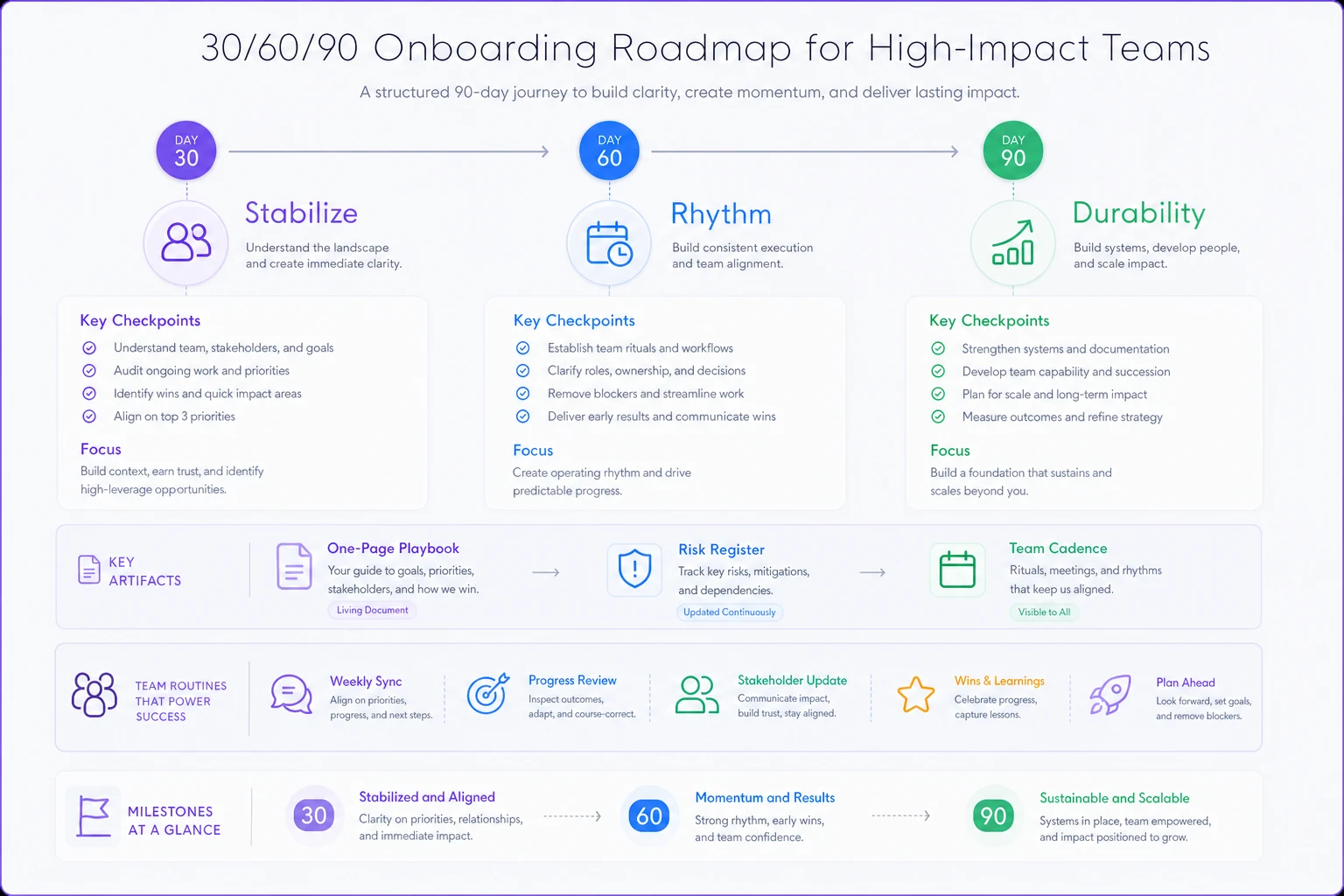
By Day 30 — Stabilize
-
- [ ] One-page playbook printed, shared, confirmed
-
- [ ] All roles named with real humans, no "TBD"
-
- [ ] Risk register live with at least the top 5 risks and owners
-
- [ ] Meeting cadence running for two full cycles
-
- [ ] Success metrics instrumented and visible to the team
-
- [ ] Acceptance criteria template adopted for the current sprint's work
By Day 60 — Rhythm
-
- [ ] Change-control process used at least once (and it worked)
-
- [ ] Escalation ladder tested on a real blocker, not hypothetically
-
- [ ] Dependencies with other teams mapped and owners confirmed
-
- [ ] Status reporting to sponsor running on a predictable schedule
-
- [ ] At least one risk successfully retired through mitigation
By Day 90 — Durability
-
- [ ] The project runs for a week without you personally unblocking everything
-
- [ ] Metrics trend is readable — you can tell if you're ahead or behind
-
- [ ] A lightweight closure/lessons process is defined (even if close is far off)
-
- [ ] Sponsor can self-serve project health from your status artifacts
The Day 90 "runs without you" test is the real one. If the project still requires you in every conversation to move forward, you've built a dependency on yourself, not a system. That's fragile, and it's the thing that burns PMs out.
Risk and Issue Register Template
A risk is something that might happen. An issue is something that already has. Mixing them into one undifferentiated list is why most registers get ignored — nobody can tell what needs action now versus what needs watching.
Keep two linked tables, or one table with a status column. Minimum fields:
| Field | Example |
|---|---|
| ID | R-07 |
| Type | Risk / Issue |
| Description | Payment vendor sandbox unstable during integration |
| Impact if it lands | Delays checkout flow ~1 sprint |
| Likelihood | Medium |
| Owner | Priya (tech lead) |
| Mitigation / action | Build against mock, escalate to vendor by Fri |
| Status | Open / Mitigating / Retired |
| Review date | Next weekly sync |
The field people drop and shouldn't is owner. A risk without a named owner is a risk nobody is managing. "The team" owns nothing. The registers that actually reduce surprises are the ones where every open row has exactly one human's name next to it.
Change-Control Checklist
Scope changes aren't the enemy. Silent scope changes are. The goal of change control isn't to say no — it's to make the cost of yes visible before you commit.
-
What's being requested — in one plain sentence.
-
Why now — the actual driver, not the requester's framing.
-
What it costs — time, scope traded away, or budget. Name the tradeoff.
-
What it displaces — if we do this, what slips? Something always does.
-
Who approves — map it to the escalation ladder by size of impact.
-
Decision + date — recorded in writing, linked to the register.
Step four is the one that saves you. "Yes, we can add that" is almost always true in isolation. "Yes, and it pushes the login rework to next release" is the honest version. Make displacement explicit every single time and watch how many "must-have" requests quietly become "next quarter."
Acceptance Criteria Template
Vague acceptance criteria are how you get work that's technically delivered and functionally wrong. The fix is boring and reliable: write criteria the way QA will test them.
A usable format per work item:
-
- Given [starting context]
-
- When [the user does this]
-
- Then [this specific, observable result happens]
Plus a short checklist attached to every item before it's called done:
-
- [ ] Meets all stated acceptance criteria
-
- [ ] Edge cases listed and handled (or explicitly deferred)
-
- [ ] Verified by someone who didn't build it
-
- [ ] No new issues opened against it in the first 48 hours
That last one is a quiet quality gate worth adopting. Plenty of work gets marked "done," then generates three bug tickets two days later. Watching the 48-hour window after acceptance tells you whether "done" actually meant done.
Closure and Lessons-Learned Worksheet
Most projects don't get closed — they just stop. The team drifts to the next thing and the hard-won lessons evaporate. A closure worksheet takes 30 minutes and pays for itself the next time you run a similar project.
Keep it to these prompts:
-
- Did we hit the outcome we defined at kickoff? Yes/partly/no, and honestly why.
-
- What did we commit to that we shouldn't have? The scope-decision post-mortem.
-
- Which risks did we see coming? Which blindsided us? Sharpens your next risk dump.
-
- What took far longer than estimated, and why? The estimation-reality gap is gold for next time.
-
- Three things to keep. Three things to change. Concrete, not aspirational.
-
- Where does this write-up live, and who will actually read it next time? If nobody reads it, don't write it.
The failure mode here is writing lessons nobody references. A lesson learned that isn't surfaced into the next kickoff's risk dump was never really learned — it was just documented. Close the loop by feeding closure notes directly into your next project's risk register.
Stakeholder Scripts You Can Steal
You'll communicate the same three things over and over. Having scripts ready means you do it fast, calm, and consistently — especially when things are tense.
Status update (async, weekly): > "[Project] — Week of [date]. Status: [Green/Yellow/Red]. On track for [milestone] by [date]. This week: [2 things shipped]. Next week: [2 priorities]. Watching: [1 risk]. Need from you: [specific ask or 'nothing right now'.]"
Scope change notification: > "Heads up on a change request: [X] was requested by [who]. If we take it, it adds roughly [effort] and pushes [specific thing] to [when]. My recommendation is [do it / defer / decline] because [reason]. Need your call by [date]."
Escalation: > "Flagging a Tier-2 blocker. [What's stuck] has been unresolved for [time] and now threatens [specific outcome/date]. I've tried [what you did]. To unblock, I need [specific decision or resource] from [who] by [date]. Default if no response: [what happens]."
That "default if no response" line is the one people forget. Silence shouldn't equal stall. State what happens by default and non-decisions stop costing you time.
A Real Scenario: The Project That Ran Without the PM
A roughly 14-person product team at a B2B software company was rebuilding their onboarding flow — a three-month project with a hard partner deadline. The first version of the project had no written escalation triggers and a weekly sync that had decayed into a ticket-by-ticket walkthrough running close to an hour.
The symptoms were familiar: blockers sat for three or four days before anyone flagged them, the sponsor kept getting surprised in steering meetings, and the PM was personally in every unblocking conversation. Two scope additions had slipped in without anyone actually deciding to accept them.
They reset using roughly the structure above. One-page playbook with numeric escalation triggers. Weekly sync cut to 25 minutes, decisions-first. Risk register with single named owners. Change control with the "what does this displace" question made mandatory.
The shift over the next six weeks wasn't dramatic in any single meeting — it showed up in aggregate. Blockers started surfacing same-day instead of mid-week. The sponsor stopped being surprised because status came on a predictable rhythm with a clear "need from you" line. Two change requests got openly deferred once the displacement was visible. And by the final month, standups ran without the PM unblocking every item — the escalation ladder did the routing instead of a person.
No heroics. The project just stopped relying on one person holding everything in their head.
When This Lightweight Approach Is the Right Call — and When It Isn't
Use this as-is when: you're on a single software or product project, team under roughly 20 people, with one sponsor and a clear outcome. This is its sweet spot. You can stand the whole thing up in two weeks and it'll hold.
Adapt it heavily when: you've got multiple teams with tangled cross-dependencies, several sponsors, or regulatory constraints. The one-page playbook still works, but the escalation ladder and dependency tracking need more structure than a single table. Projects with human-in-the-loop decision requirements — anything touching automated decisions about people — carry extra documentation obligations worth understanding up front; the operational playbook for human-in-the-loop requirements gets into those specifics.
Don't bother with the full kit when: the "project" is really a two-week task for two people. Forcing a risk register and change-control process onto something that small is ceremony for its own sake. A scoped task just needs clear acceptance criteria and a done date.
Where Tooling Actually Helps (and Where It Doesn't)
An honest note on tools, because it matters less than people hope. None of this requires software to work — the scenario above ran mostly on a shared doc, a board, and discipline.
Where tooling earns its place is in keeping the register and status current without manual nagging. When your risk register, acceptance checklists, and status reports live in one connected workspace instead of five scattered places, the weekly sync gets easier because the data is already there. Operational platforms that pull status and flag stale risk items automatically save you the worst part of the PM job — chasing people for updates. That's a real efficiency gain. But a tool won't fix an undefined escalation trigger or a scope boundary you never wrote down. Get the routines right first; let the tooling remove the manual drudgery second.
Start With the One Page
If you do nothing else from this post, print the one-page playbook and run a real kickoff with it. Name the roles. Write the escalation triggers with numbers. Say out loud what's out of scope.
That single page prevents more chaos than any methodology you'll adopt later. The templates here aren't impressive — they're not supposed to be. Good project management is mostly unglamorous repetition: the same risk review, the same decisions-first sync, the same displacement question on every change request. Install the routines in your first two weeks, and the rest of the project stops being a series of surprises and starts being something you actually run.
If you do nothing else from this post, print the one-page playbook and run a real kickoff with it. Name the roles. Write the escalation triggers with numbers. Say out loud what's out of scope.
Ready to boost your team's productivity?
Join 5,000+ teams using Workyly to streamline workflows, improve communication, and deliver projects faster.