

Customer requests pile up faster than product teams can process them. Support tickets, feature requests, bug reports, enhancement ideas—they all land in various channels with no clear path forward. The support team forwards everything marked "urgent" while product managers drown in unstructured feedback.
The hidden cost of treating every customer request like a five-alarm fire
What typically happens: a customer complains loudly enough, it escalates through three managers, lands on the product team's plate during sprint planning, and suddenly you're derailing your roadmap for an edge case affecting maybe 0.3% of users. Meanwhile, a silent performance issue hitting 40% of your user base sits buried in ticket #4,287.
The breakdown here isn't about ignoring customers. It's about having no systematic way to evaluate what actually matters versus what just feels urgent right now. Support teams operate on emotion and escalation. Product teams operate on strategy and impact. Without a real bridge between the two, you get chaos.
Why urgency×impact matrices fail in practice (and how to fix them)
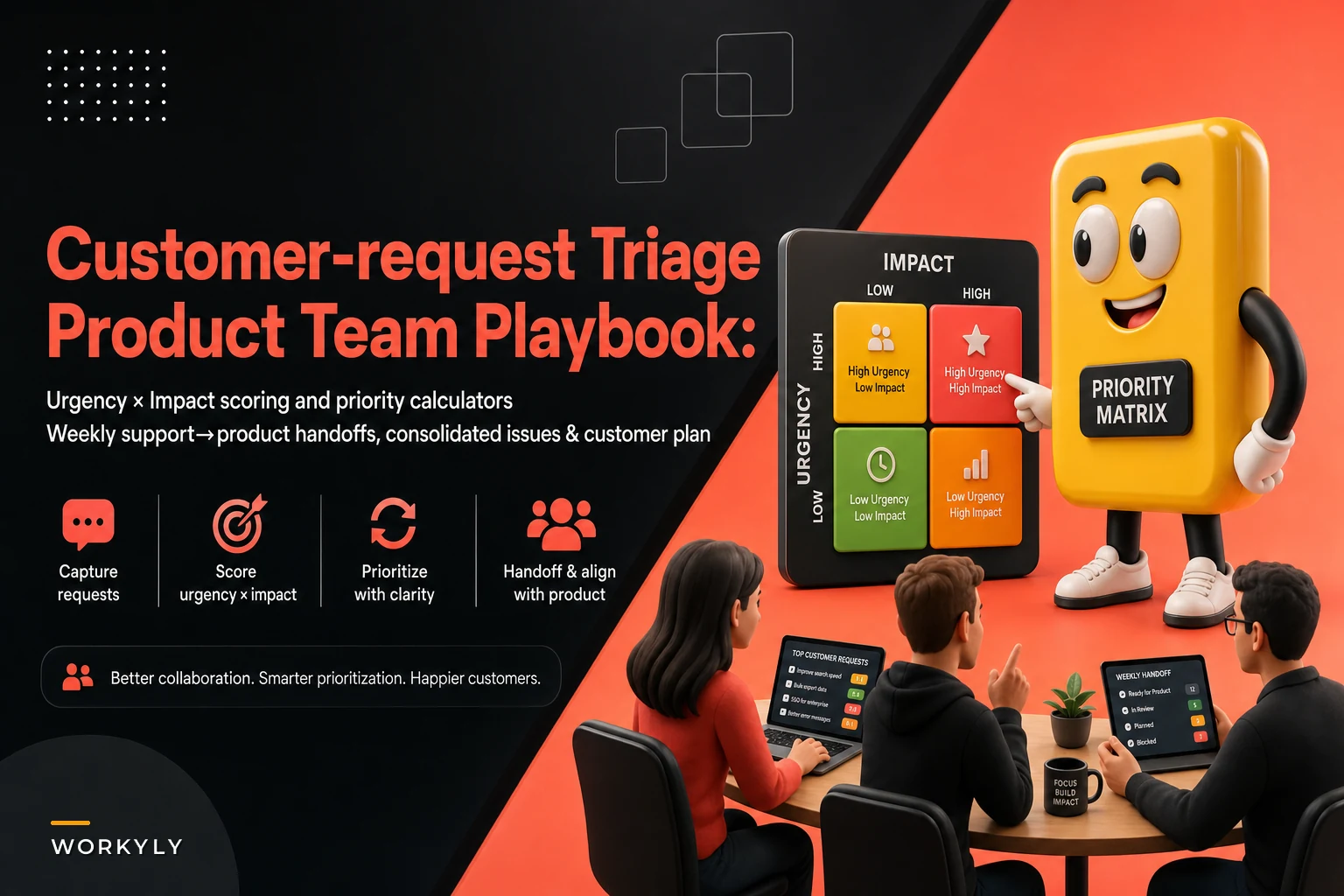
Every product team knows the urgency×impact matrix in theory. High urgency + high impact = do it now. Low urgency + low impact = backlog forever. Simple enough.
Stop losing track of your priorities.
Workyly helps you organize, assign, and track every task efficiently.
- Centralized task management
- Real-time collaboration
- Intelligent workflow automation
No credit card required
Except it breaks down almost immediately. Who defines urgency—the customer who's screaming, or the product manager looking at usage data? What counts as impact—revenue, user count, strategic alignment, technical debt? Without clear definitions, every stakeholder interprets the matrix differently, and the whole thing becomes a political tool rather than a triage tool.
What actually works is defining urgency and impact with specific, measurable criteria that both support and product teams agree on before the chaos hits.
Urgency scoring (1–5 scale):
-
5
System down, data loss, security breach
-
4
Core feature broken, affects active workflow
-
3
Feature degraded, workaround exists
-
2
Enhancement request, nice-to-have
-
1
Future consideration, exploratory
Impact scoring (1–5 scale):
-
5
Affects 50%+ of user base or $100k+ monthly revenue
-
4
Affects 20–49% of users or $50–100k monthly revenue
-
3
Affects 5–19% of users or $10–50k monthly revenue
-
2
Affects 1–4% of users or $1–10k monthly revenue
-
1
Affects <1% of users or <$1k monthly revenue
Multiply these together for a priority score between 1–25. Anything above 15 gets immediate attention. 8–14 goes into next sprint planning. Below 8 enters the backlog for quarterly review.
The real shift: these aren't subjective calls anymore. Support can calculate a score based on observable data. Product can verify and adjust based on technical complexity. Both teams are speaking the same language instead of arguing about what "urgent" means.
Response SLAs that match reality, not wishful thinking
Most teams set SLAs based on what sounds good to customers: "We respond to all requests within 24 hours!" Then reality hits. Critical bugs get the same 24-hour treatment as feature suggestions. Support scrambles to meet arbitrary deadlines while product teams tune out the noise.
Instead of blanket SLAs, tier your response times based on that urgency×impact score:
| Priority Score | First Response SLA | Resolution SLA | Escalation Path |
|---|---|---|---|
| 20–25 (Critical) | 2 hours | 24 hours | Direct to product lead |
| 15–19 (High) | 4 hours | 72 hours | Support → Product triage |
| 8–14 (Medium) | 24 hours | 2 weeks | Weekly review batch |
| 1–7 (Low) | 72 hours | Quarterly review | Backlog consideration |
Worth being clear on: the resolution SLA isn't "fix everything immediately." It means providing a meaningful update or a workaround within that window. A critical bug might get a hotfix in 24 hours, but a high-priority feature request gets a detailed assessment and timeline within 72 hours. That distinction matters a lot in practice.
This structure stops support from overpromising timelines that product can't deliver. It also stops low-priority items from burning cycles through repeated escalations because someone's manager got an angry email.
The handoff script that cuts out the back-and-forth
Support identifies something worth escalating to product. What usually happens next is a vague Slack message: "Customer X is having issues with feature Y, can someone look at this?"
Product responds: "What kind of issues? How many customers? What have they tried?"
Support: "Let me check and get back to you..."
Three days and a dozen messages later, maybe something gets documented properly. Maybe not.
A structured handoff template collapses that whole process into a single transaction:
Support → Product Handoff Template:
REQUEST TYPE: [Bug/Feature/Enhancement/Performance] PRIORITY SCORE: [Urgency × Impact calculation]
CUSTOMER CONTEXT:
-
Affected accounts
[List or count]
-
Revenue at risk
[$ amount if applicable]
-
First reported
[Date]
-
Frequency
[One-time/Intermittent/Consistent]
PROBLEM DESCRIPTION:
-
Expected behavior
[What should happen]
-
Actual behavior
[What's happening]
-
Steps to reproduce
[1, 2, 3...]
-
Error messages/logs
[Attached/linked]
ATTEMPTED SOLUTIONS:
-
What support tried
[List]
-
Customer workarounds
[If any]
-
Temporary fixes
[If applicable]
BUSINESS IMPACT:
-
Workflow blocked
[Yes/No - which one]
-
Data integrity risk
[Yes/No]
-
Customer sentiment
[Frustrated/Understanding/Churning risk]
REQUESTED ACTION:
-
Investigation needed
[Technical deep-dive/root cause]
-
Fix required
[Patch/feature/configuration]
-
Timeline expectation
[Based on SLA]
Product can now assess the request without asking twenty questions. Support provides everything upfront. One transaction instead of a multi-day thread.
For the reverse flow—product updating support on resolution—use this:
Product → Support Update Template:
TICKET REF: [Original ID] STATUS: [Investigating/In Progress/Resolved/Won't Fix]
FINDINGS:
-
Root cause
[Technical explanation in plain language]
-
Scope of impact
[Confirmed affected users/features]
-
Related issues
[Other tickets this connects to]
RESOLUTION:
-
Fix deployed
[Version/date]
-
Workaround available
[Steps if applicable]
-
Customer action required
[Update/migration/configuration]
FOLLOW-UP:
-
Monitoring period
[How long we're watching this]
-
Success criteria
[How we know it's fixed]
-
Escalation trigger
[When to re-engage product]
CUSTOMER MESSAGING: [Pre-written explanation support can send directly]
Both teams save hours per week on clarification and follow-up. The handoff becomes boring, which is exactly what you want.
The weekly review ritual that keeps requests from falling through the cracks
Individual request triage works fine until volume overwhelms the system. That medium-priority feature request from three weeks ago? Still in limbo. The pattern of similar bugs across different customers? Nobody connected them.
The Wednesday Request Review:
-
Priority shifts (10 minutes) — Review last week's high-priority items, adjust scores based on new information, flag any escalating patterns.
-
Pattern identification (15 minutes) — Group similar requests from different customers, identify root causes versus symptoms, consolidate duplicate issues.
-
Backlog pruning (10 minutes) — Archive resolved items, close won't-fix items with explanation, merge related requests.
-
Resource allocation (10 minutes) — Assign owners to new high-priority items, confirm capacity for upcoming work, flag any resource conflicts.
This isn't a status meeting. It's an operational checkpoint. Nothing gets lost, patterns get recognized early, and both teams stay aligned on priorities without a two-hour discussion.
The meeting should produce three concrete outputs: an updated priority list for the week, consolidated issues ready for sprint planning, and a customer communication plan for won't-fix items.
Keep it tight. No design discussions, no solution brainstorming, no deep technical dives. Just triage, pattern recognition, and assignment.
Signs your customer request triage needs an overhaul
How do you know if your current system is broken versus just feeling messy? A few patterns to watch for.
Support team symptoms:
-
Same customers escalating repeatedly
-
Support reps making promises about fix timelines
-
Confusion about what qualifies for escalation
-
Duplicate tickets for the same underlying issue
Product team symptoms:
-
Sprint plans constantly disrupted by "emergencies"
-
No clear picture of customer pain points
-
Surprise when major issues surface
-
Backlog full of vague, undocumented requests
Customer symptoms:
-
Multiple touchpoints to get a single issue addressed
-
Inconsistent response times
-
Radio silence after initial acknowledgment
-
Features requested months ago with no update
Business symptoms:
-
Churn linked to unresolved product issues
-
Support costs rising faster than customer growth
-
Product roadmap dominated by reactive fixes
-
Strategic initiatives constantly delayed
If three or more of these are showing up, your triage system isn't just inefficient—it's actively costing you.
When customer request triage becomes competitive advantage
Most teams treat customer request handling as something to contain and minimize. Structured triage is actually a strategic asset if you approach it that way.
The data flowing through your triage system tells you which features actually matter to customers, where your product creates the most friction, what your competitors aren't solving well, and how different customer segments use the product differently. That's not support overhead—that's product intelligence.
A financial services startup I worked with discovered through triage analysis that around 60% of their so-called "bugs" were really confusion about a specific workflow. Instead of fixing individual issues one by one, they redesigned the entire flow and eliminated hundreds of future tickets in one shot.
An e-commerce platform noticed that performance complaints clustered around their customers' peak sales periods. They built predictive scaling that pre-emptively allocated resources during those windows—turning a recurring support nightmare into an actual selling point.
Both outcomes came from treating request triage as an intelligence system, not just a routing mechanism.
Building your customer request triage system this week
If you want a concrete starting point, here's a rough sequence that works:
-
Monday — Define your urgency and impact scales. Get support and product leads to agree on specific criteria. Document it, share it with both teams.
-
Tuesday — Create your handoff templates. Put them wherever your teams actually work—Slack, Jira, Notion. Make them mandatory for all escalations starting immediately.
-
Wednesday — Run your first weekly review. It'll be messy. You'll surface a bunch of hidden issues. That's the point. Document everything you find.
-
Thursday — Set up your SLA tiers. Communicate them internally first. Make sure support understands what they can and can't promise.
-
Friday — Calculate priority scores for your existing backlog. You'll almost certainly find critical items buried under low-priority noise.
Within a week, you'll have a functioning triage system instead of managed chaos.
A simple visual of this week's workflow.
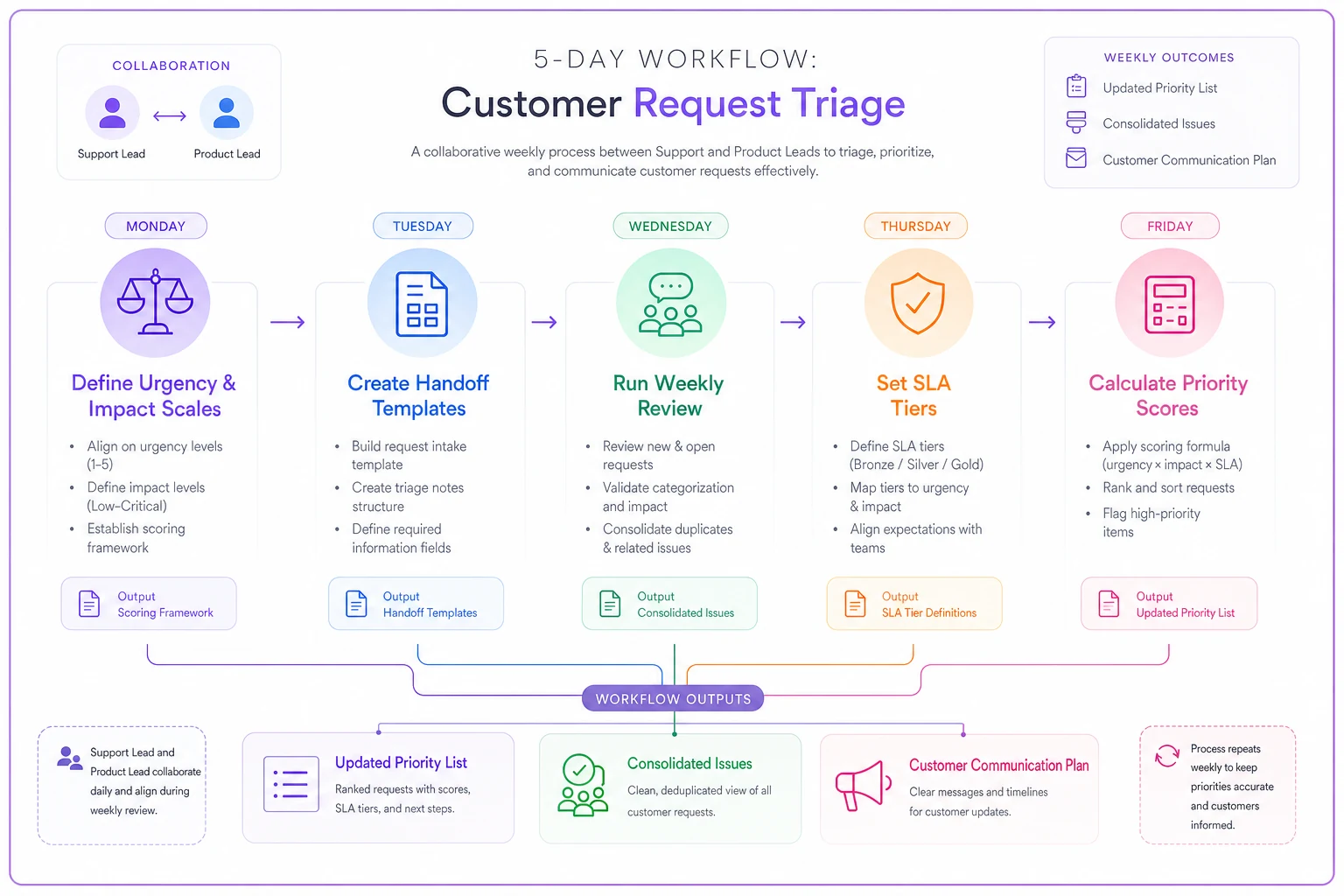
Use the visual to align teams during the first week.
The automation opportunity most teams miss
Manual triage works, but it doesn't scale. As request volume grows, the time spent scoring, routing, and updating requests multiplies fast. Smart teams recognize this and automate the repetitive parts systematically.
AI-powered operational software can automatically calculate urgency×impact scores based on request content, customer data, and historical patterns. Instead of support agents manually filling out templates, the system pulls relevant information from customer communications and populates handoff documents. Pattern detection can happen continuously, not just during Wednesday reviews.
Human judgment still matters—deciding whether a pattern signals a real product issue, determining strategic importance, choosing what to actually build. But the mechanical work of scoring, routing, documenting, and tracking moves into automated workflows. That frees your teams to focus on solving problems instead of managing the process of managing requests.
Tools that connect customer communication channels directly to product management workflows cut out most of the handoff friction. When a support ticket automatically surfaces in your product planning tool with full context, priority score, and customer impact data already attached, the traditional escalation delay largely disappears.
If you want to go deeper on building scalable intake processes alongside this kind of triage system, this piece on turning ad-hoc requests into a scalable intake with SLA tiers and triage covers complementary ground worth reading. And if the weekly review ritual feels like it'll generate more meeting overhead, converting meetings into clear asynchronous action items is worth a look too.
Making customer request triage stick
The biggest risk to any triage system is abandonment after two weeks when things get busy. The weekly review gets skipped once, then twice. Templates get ignored. Before long you're back to chaos.
Block the weekly review permanently on both leads' calendars—not as a recurring suggestion, but as a non-negotiable. Track triage metrics weekly: average time to resolution, backlog size, how quickly patterns get identified. Share wins publicly when triage catches a major issue early; it reinforces why the process matters. And adjust the system when it's not working rather than grinding through a broken process.
Customer request triage isn't about perfection. It's about having a systematic way to handle the inevitable flood of feedback, bugs, and feature requests without losing your mind or your roadmap.
When support and product teams share the same scoring system, follow the same handoff process, and review requests together weekly, chaos turns into something manageable. You stop fighting fires and start preventing them. You stop guessing at what customers need and start seeing real patterns. The companies that get this right don't just handle requests better—they build better products, because when you actually understand what customers are struggling with, the right priorities tend to become obvious.
Ready to boost your team's productivity?
Join 5,000+ teams using Workyly to streamline workflows, improve communication, and deliver projects faster.