

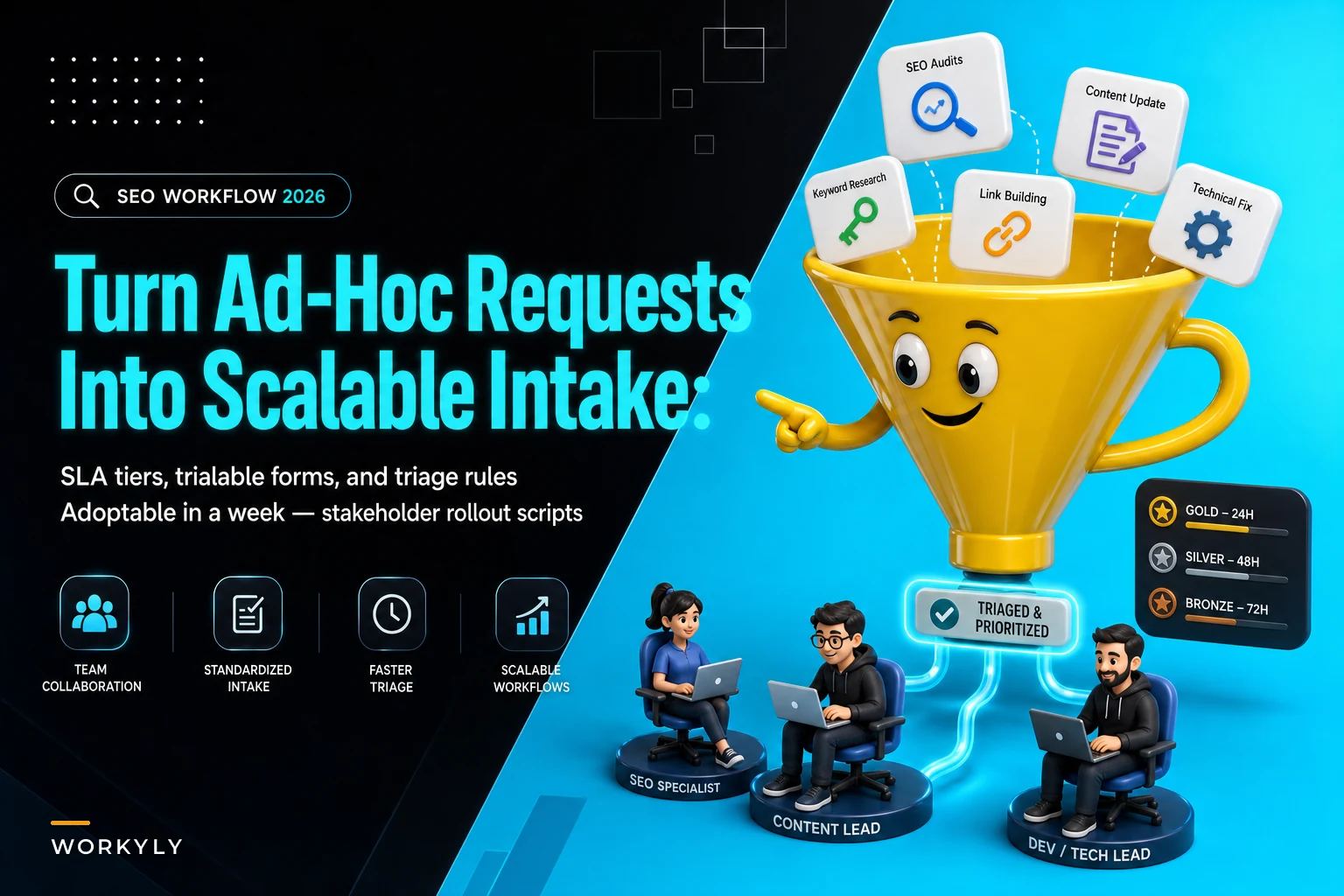

Marketing teams, design departments, product groups—they all hit the same wall around 15-20 people. That casual "just ping me" approach that worked with 8 people? Pure chaos now. Support tickets pile up. Stakeholder requests contradict each other. Everyone thinks their stuff is urgent, usually because they're panicking about their quarterly review.
Your team drowns in Slack messages, emails, and random requests while actual strategic work gets buried
It starts small. Sales director drops a message about updating three case studies. Customer success emails about broken help center links. Product dumps a Slack request for new feature graphics. The CEO forwards some partner co-branding thing. Each person figures their ask is reasonable—couple hours max. But 40 requests per week means your team lives in permanent reaction mode instead of executing planned work.
The real problem isn't volume. It's the complete lack of structure around how requests get captured, prioritized, and routed. Without clear intake patterns, every request becomes an interruption that derails whatever your team was actually supposed to be working on.
Why the standard "submit a ticket" approach makes things worse
Most teams try the obvious fix: basic ticketing system. Set up Jira, Asana, Monday.com, create a form, announce it in Slack. Then watch everyone immediately bypass it to message team members directly.
Stop losing track of your priorities.
Workyly helps you organize, assign, and track every task efficiently.
- Centralized task management
- Real-time collaboration
- Intelligent workflow automation
No credit card required
The mistake is focusing on tools instead of intake patterns. Software doesn't fix broken request management any more than a filing cabinet fixes messy paperwork. You haven't defined what counts as a valid request, who makes them, or what happens after submission.
Your design team implements a creative request form. Week one: 47 submissions. Fifteen are actual design requests. Eight need copywriting first. Twelve missing basic stuff like dimensions or brand guidelines. Nine marked "urgent" for Q3 campaigns. Three executives wanting "quick tweaks" that need complete redesigns.
Without triage rules and service definitions, every request becomes equally important and equally vague. People still ping team members directly because they don't trust submitting into a black box. Your form becomes another chaos channel instead of a clarity filter.
The lightweight intake pattern that works in practice
One pattern consistently transforms chaos into predictable workflow. Takes about a week to implement, immediately reduces operational friction.
Start with three SLA tiers instead of complex priority matrices:
-
Tier 1
Standard requests (5-7 business days)
- Routine updates - Planned campaign materials - Documentation changes - Regular reporting needs -
Tier 2
Expedited requests (2-3 business days)
- Time-sensitive fixes - Partner deadlines - Customer-facing issues - Revenue-impacting changes -
Tier 3
Emergency requests (same day)
- System outages - Legal/compliance issues - Executive presentations - Crisis communications
Each tier has explicit qualification criteria and required approvals. Standard requests go through normal intake. Expedited requests need manager approval. Emergency requests require director sign-off.
The qualification criteria removes ambiguity:
| Request Type | Qualification Criteria | Approval Needed | Response Time |
|---|---|---|---|
| Standard | Planned work, no external deadline | None | 5-7 days |
| Expedited | External deadline < 1 week OR revenue impact > $10k | Manager | 2-3 days |
| Emergency | Legal risk OR system down OR C-level requirement | Director | Same day |
Requesters get clear expectations while your team stays protected from constant fake "urgent" requests.
Building your triage rules (with real examples)
Triage rules determine where requests go after submission. Without clear routing logic, requests pile up in a general queue where nobody owns anything.
Content requests route by type:
-
Blog posts → Content team lead
-
Social media → Social coordinator
-
Email campaigns → Marketing automation specialist
-
Sales collateral → Product marketing manager
-
Website updates → Web developer
Design requests route by scope:
-
Quick edits (< 30 minutes) → Junior designer queue
-
New assets (30 min - 4 hours) → Designer rotation
-
Major projects (> 4 hours) → Creative director for scoping
Data requests route by complexity:
-
Standard reports → Automated dashboard links
-
Custom analysis → Analytics team queue
-
Strategic insights → Data scientist review
Routing happens automatically based on form selections. Someone chooses "Blog post" and "Standard timeline"—routes to content lead with 5-day SLA. "Sales deck" and "Emergency" triggers director approval before routing to product marketing.
This automatic routing eliminates the daily question of "who should handle this?" Each request type has a clear owner from the moment it's submitted. No more morning standup meetings spent just figuring out task assignments.
Sample forms that actually get completed
Bad intake forms kill adoption faster than anything else. Nobody fills out 47 fields to resize a logo. Your form needs essential information without becoming a burden.
Form structure that works:
Section 1: Request basics (required)
-
What do you need? (dropdown with 6-8 common options)
-
When do you need it? (calendar picker)
-
Why is this timeline important? (text field, 2-3 sentences)
Section 2: Context (required)
-
Who is the audience? (dropdown
internal, customer, partner, public)
-
What's the business goal? (dropdown
revenue, retention, awareness, operations)
-
Link to related materials (URL field)
Section 3: Details (conditional)
-
Appears only based on request type
-
Design requests show dimension fields
-
Content requests show word count fields
-
Data requests show metric fields
Section 4: Approval (automatic)
-
Expedited requests trigger manager approval email
-
Emergency requests trigger director approval email
-
Standard requests submit directly
The magic is conditional logic. "Blog post" requesters see different fields than "Data analysis" requesters. Keeps forms short while capturing necessary details.
A distribution company cut average request processing from 3 days to 4 hours with conditional forms. Their customer service team used to email vague spreadsheet requests like "need sales data for last month." New form automatically asks for specific date ranges, product categories, output format based on report type. Operations team gets complete requests without follow-up clarification.
Keep conditional fields minimal so forms stay under 2 minutes to complete.
The key insight: people will complete 6 relevant fields but abandon 12 generic ones. Conditional forms feel personalized even when they're automated.
Stakeholder scripts that prevent pushback
The hardest part isn't technical—it's political. Senior stakeholders resist process changes, especially when they're used to direct access. You need messaging that frames this as improving their experience, not limiting access.
For the announcement email:
"Starting Monday, we're implementing a request intake process that guarantees response times for your needs. You'll always know when to expect delivery, and urgent items get properly prioritized instead of lost in email threads. Submit requests through a simple 2-minute form that routes directly to the right person. Standard requests get responses within 5-7 business days. Time-sensitive items can be expedited with manager approval for 2-3 day turnaround. True emergencies still get same-day attention with director approval. This isn't about creating barriers—it's about ensuring your important work doesn't get buried under routine requests. The team will dedicate specific time blocks to each priority tier, so expedited requests actually get expedited treatment."
For the FAQ document:
Q: What if I have a truly urgent request? A: Emergency tier requests still get same-day response. You'll need director approval, which ensures resources are allocated appropriately. Q: Can I still message team members directly? A: Team members will redirect you to the intake form to ensure proper tracking and SLA adherence. This protects both you and them by creating clear documentation. Q: What if my request doesn't fit the categories? A: Select "Other" and describe your need. We'll route it appropriately and update categories based on common requests.
For the resistant executive:
"I understand you're concerned about adding steps to your workflow. Last quarter your product launch materials got delayed because three 'urgent' requests came in the same day from different departments. With the tier system, your launch would have qualified for expedited handling with guaranteed delivery. The form takes 90 seconds to complete, then you have full visibility into status and timeline."
Most resistance comes from fear of bureaucracy. Address this directly by emphasizing speed and visibility improvements.
The seven-day implementation timeline
Monday morning through Friday afternoon gives you enough time to build and launch without overthinking it.
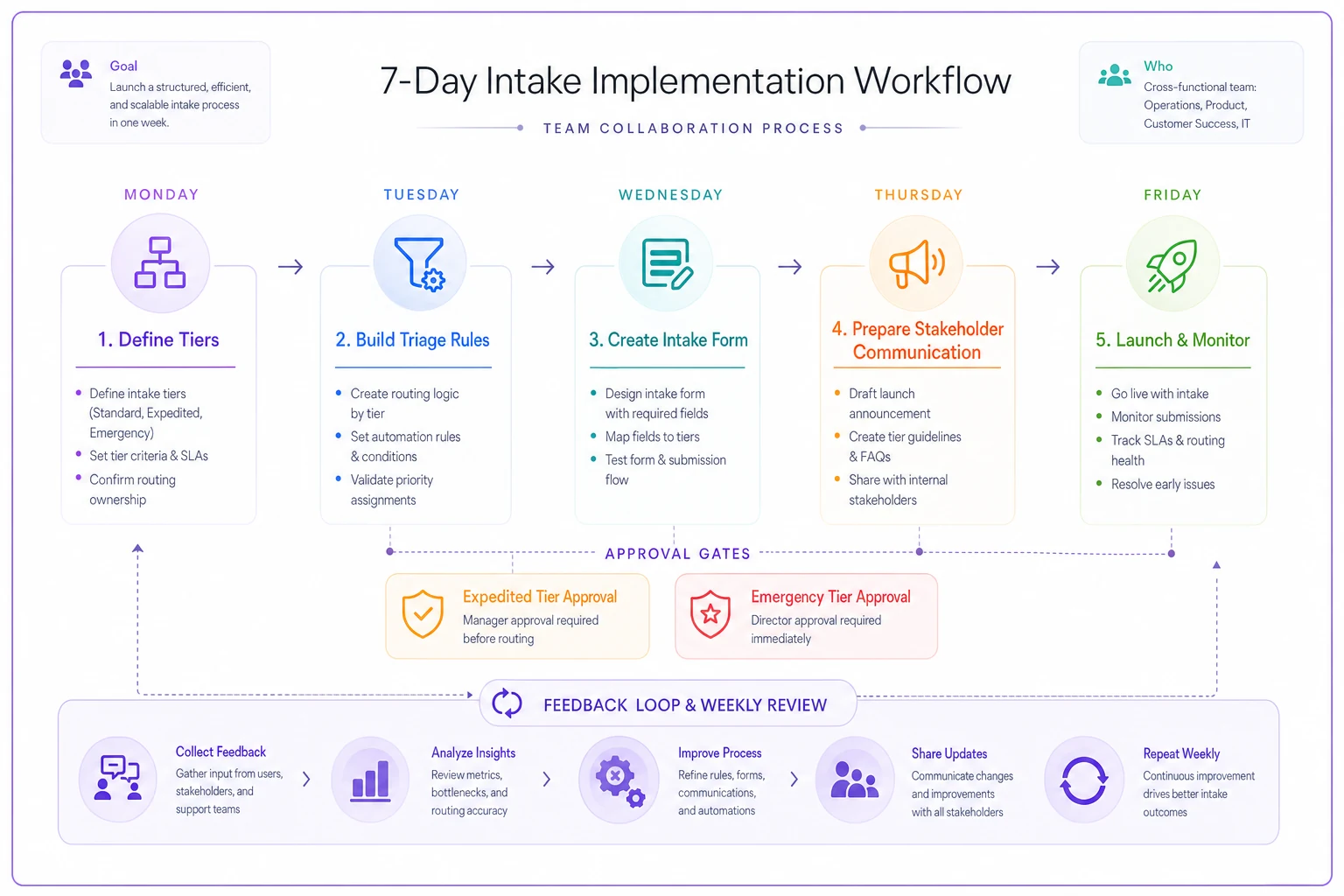
Here's a simple workflow diagram of the week-long rollout.
-
Monday
Define your tiers and qualification criteria - Morning: List your 20 most common request types - Afternoon: Group them into three SLA tiers - End of day: Document qualification criteria for each tier
-
Tuesday
Build your triage routing rules - Morning: Map request types to responsible parties - Afternoon: Define escalation paths for each tier - End of day: Create routing logic diagram
-
Wednesday
Create your intake form - Morning: Draft form fields and conditional logic - Afternoon: Test form with 5 sample submissions - End of day: Refine based on testing
-
Thursday
Prepare stakeholder communication - Morning: Write announcement email - Afternoon: Create FAQ document - End of day: Schedule training sessions
-
Friday
Launch and monitor - Morning: Send announcement, activate form - Afternoon: Handle first submissions, refine routing - End of day: Address immediate feedback
Following Monday, run your first weekly review to adjust triage rules based on actual submissions.
The timeline works because each day builds on the previous one. Don't try to perfect everything before launch—you'll learn more from real submissions than hypothetical planning.
Common failures and their fixes
Failure: People still bypass the system
Happens when the form takes too long or doesn't provide clear value. Track requests through proper channels versus direct messages. If bypass rate exceeds 20%, your form is too complex or SLAs aren't being met.
Fix: Simplify the form to under 2 minutes completion. Publicly celebrate on-time delivery metrics. Have team members politely but firmly redirect bypass attempts to the form.
Failure: Everything becomes "emergency"
Without approval gates, requesters inflate urgency to jump the queue. One tech company saw 78% of requests marked urgent until they required VP approval for same-day handling. Urgent requests dropped to 8%.
Fix: Require increasing approval levels for higher tiers. Track who submits emergency requests and review patterns monthly with leadership.
Failure: Requests sit unassigned
Poor triage rules create orphaned requests nobody owns. A consulting firm discovered 40+ requests sitting unassigned because routing logic didn't account for cross-departmental work.
Fix: Assign a default owner for edge cases. Create daily sweep process where someone reviews unassigned requests. Build "joint request" routing for cross-functional needs.
The pattern is consistent: failures happen when you skip steps during implementation, not because the system is fundamentally flawed. Most problems surface within the first two weeks and are fixable with small adjustments.
Measuring what matters
Track three metrics for system health:
SLA adherence rate: Percentage of requests completed within promised timeline. Target 90% or higher. Below 80% means your tiers are unrealistic or team is under-resourced.
Bypass rate: Percentage of work requested outside the system. Target under 15%. Higher rates indicate adoption issues.
Tier distribution: Percentage breakdown of standard/expedited/emergency. Healthy distribution is roughly 70/25/5. If emergency exceeds 10%, qualification criteria needs tightening.
Digital agency tracked these metrics for six months after implementation. Month one: 72% SLA adherence, 45% bypass rate, 35% emergency requests. By month six: 94% SLA adherence, 8% bypass rate, 6% emergency requests. The improvement came from weekly refinements based on metric reviews, not system overhauls.
Don't track too many metrics initially. These three tell you everything you need to know about system health. Add complexity only after you've mastered the basics.
The shift from reactive scrambling to predictable delivery
Teams resist intake processes assuming it means bureaucracy and delays. But proper request intake actually speeds delivery by eliminating clarification loops, priority conflicts, and context switching.
Your designers stop juggling 15 half-finished projects. Your analysts stop getting interrupted mid-analysis. Your writers stop rewriting unclear briefs. Work flows through predictable channels with clear owners and timelines.
The real transformation happens around week three when stakeholders realize they can plan around delivery dates. Sales director knows deck updates will be ready for Thursday's pitch. Product manager trusts feature documentation ships before release. CEO stops asking for status updates because the system provides automatic visibility.
This operational rhythm replaces constant negotiation and replanning chaos. Your team focuses on execution instead of expedition. Stakeholders get predictable delivery instead of promises. The entire organization operates smoother because requests flow through defined channels rather than flooding every communication path.
For teams dealing with high request volumes, AI-powered operational software can automate much of this intake and routing process. These platforms can handle conditional form logic, automatic approval workflows, and real-time SLA tracking without manual intervention. The automation doesn't replace good process design—it amplifies it.
This pattern adapts to any team size or industry. Managing creative services, IT support, data analytics, operations—the core structure stays consistent. Define tiers, create triage rules, build simple forms, communicate clearly, then refine based on actual usage.
Most teams see meaningful improvement within two weeks, full adoption within a month. Successful teams focus on making the process lighter and clearer, not more complex and comprehensive. Start with minimum viable intake process, then enhance based on real patterns rather than hypothetical edge cases.
Ready to boost your team's productivity?
Join 5,000+ teams using Workyly to streamline workflows, improve communication, and deliver projects faster.