

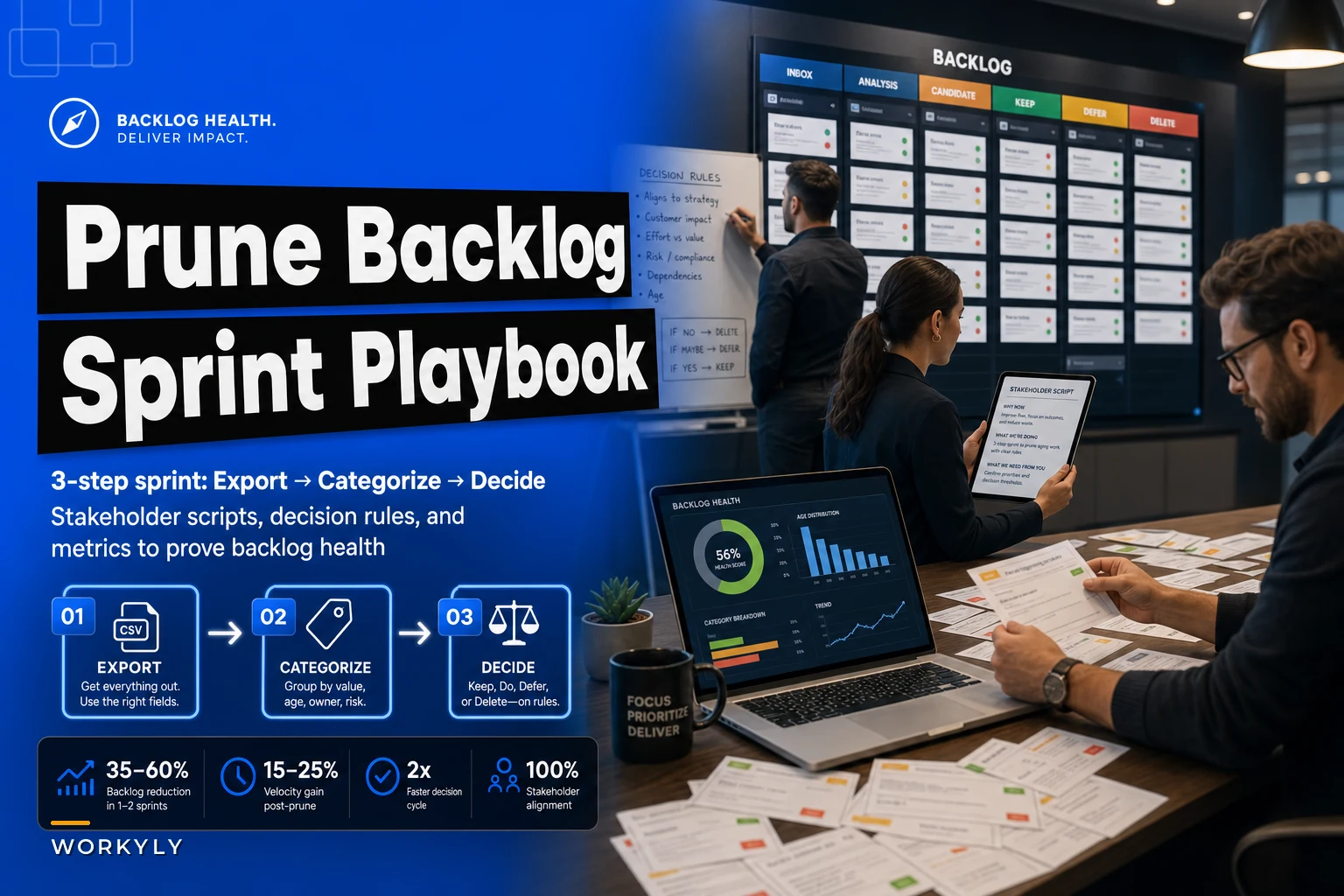

Every product backlog tells two stories. There's the one you want it to tell—a prioritized roadmap of valuable features waiting to ship. Then there's the real one: a graveyard of half-baked ideas, forgotten customer requests, and technical debt nobody wants to touch but everyone's too afraid to delete.
Stop letting your backlog pretend it's a roadmap
The average product team's backlog has 3–4x more items than they'll complete in the next six months. Most teams know this. What they don't realize is that those zombie tickets are actively damaging their ability to ship. Every time someone scrolls past an 18-month-old "investigate analytics provider" ticket, they lose a bit of focus. Multiply that across 200 aging tickets and 8 team members, and you've built friction into every sprint planning session.
Running a backlog remediation sprint isn't about being a neat freak. It's about getting honest about what work actually deserves attention. Teams that do this well tend to ship more meaningful features—not because they work harder, but because they stop cycling through work that should have been killed months ago.
Why backlogs become junkyards (and why nobody fixes them)
Backlogs accumulate cruft for pretty predictable reasons. A stakeholder mentions an idea in passing, someone creates a ticket "so we don't forget," and that ticket sits there forever because deleting it feels like rejecting the person who suggested it. A customer reports an edge-case bug affecting 0.1% of users, it gets logged, and three years later it's still making your backlog look more complex than it is.
Stop losing track of your priorities.
Workyly helps you organize, assign, and track every task efficiently.
- Centralized task management
- Real-time collaboration
- Intelligent workflow automation
No credit card required
The real damage shows up during sprint planning. Your team burns 15 minutes debating whether that ancient "dark mode" ticket is finally worth doing. Someone argues it's been there too long to ignore. Someone else points out you'd need design resources you don't have. Nothing gets decided, the ticket stays, and you just wasted planning time on nothing.
Most teams avoid backlog cleanup for three reasons: they're afraid of losing good ideas—as if a genuinely valuable feature wouldn't resurface when customers actually needed it—they worry about offending whoever submitted those tickets, and they don't have a systematic way to make keep/kill decisions, so the whole thing feels arbitrary and political.
The remediation sprint solves all three with a repeatable process, clear rules, and stakeholder scripts that create boundaries without burning relationships.
The 3-step backlog remediation sprint
This simple flow captures the core steps you'll run through during a remediation sprint.
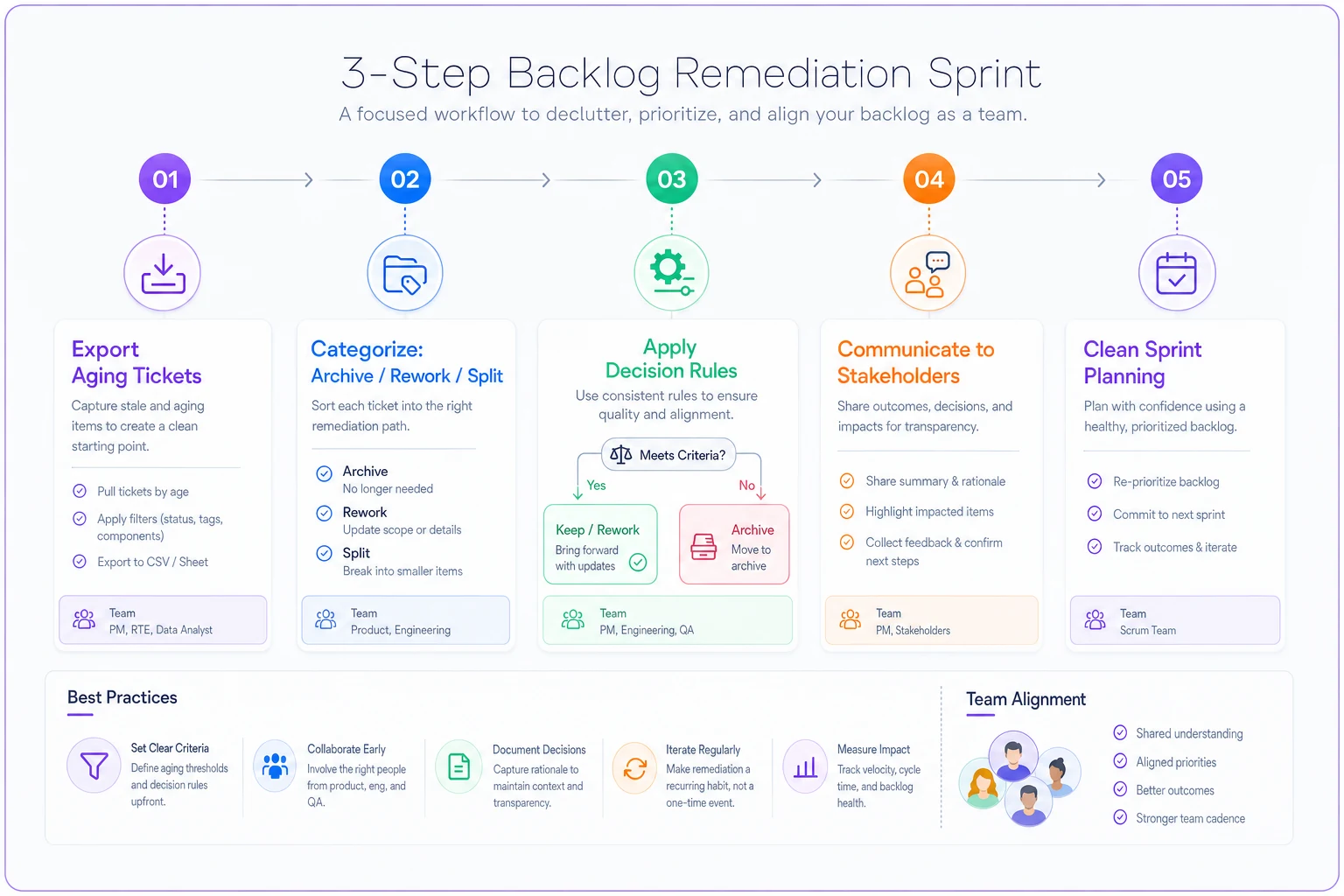
Step 1: Audit and categorize (2 hours)
Pull every ticket older than 90 days into a spreadsheet. Don't overthink it—just export everything. You need four columns: ticket title, creation date, last update date, and assigned epic or category.
Then add three more columns for your audit categories:
-
Archive candidates
No activity in 6+ months, no customer requests last quarter
-
Rework needed
Good idea but the spec is outdated or incomplete
-
Split/decompose
Too big or vague to actually act on
Go through each ticket and assign exactly one category. Don't debate, don't discuss—just categorize. When in doubt, default to archive candidate. If it's truly important, someone will resurface it with better context.
Here's what this looks like with real numbers from a 40-person SaaS company:
| Ticket Age | Total Count | Archive | Rework | Split |
|---|---|---|---|---|
| 3–6 months | 47 | 31 | 12 | 4 |
| 6–12 months | 89 | 78 | 8 | 3 |
| 12+ months | 142 | 138 | 3 | 1 |
The pattern is pretty consistent across teams. The older a ticket gets, the more likely it belongs in the archive. Important work doesn't sit untouched for a year.
Step 2: Apply decision rules (1 hour)
Decision rules take the emotion out of the culling process. Here's the framework:
Archive immediately if:
-
No customer has asked about it in the last 90 days
-
The original requester has left the company
-
It would take more than 2 hours just to understand what the ticket means
-
It's been deprioritized 3+ times as a "nice to have"
Rework only if:
-
You have active customer requests for this exact functionality
-
It directly supports a current quarter goal
-
Someone on the team volunteers to own the rewrite within 2 weeks
Split only if:
-
Part of it is genuinely urgent
-
Multiple teams need different pieces
-
You can identify at least one shippable slice within 2 sprints
One fintech startup applied these rules to 312 aging tickets. They archived 244, reworked 38, and split 30. Their next three sprints had the highest velocity in two years—same team, same capacity, just less noise cluttering every planning session.
Step 3: Stakeholder communication (1 hour)
This is where most backlog cleanups fall apart. Teams make decisions in isolation, then stakeholders get upset when their feature disappears. You need proactive communication with clear templates.
For archived items:
"We're closing ticket [X] after [Y] months of inactivity. If this becomes a priority again, please create a new ticket with current context and business case. This helps us stay focused on active customer needs."
For rework items:
"Ticket [X] addresses a real need but requires updated specs. [Owner name] will revise by [date] or we'll archive it. Please share any recent customer feedback that should inform the update."
For split items:
"We're breaking ticket [X] into smaller, actionable pieces. The first slice—[specific scope]—will ship in [timeframe]. Subsequent pieces will be prioritized based on customer feedback."
Send these before you archive anything. Give stakeholders 48 hours to respond. Most won't—which tells you everything you need to know about how important those tickets actually were.
Measuring backlog health improvements
Track these three metrics before and after your sprint:
Backlog age distribution: What percentage of tickets are older than 90, 180, 360 days? A healthy backlog has roughly 80% of tickets under 90 days old. Anything skewed older means you're carrying work that probably won't happen.
Planning efficiency: Time your sprint planning sessions before and after remediation. Most teams cut planning time by 30–40% just by removing the "what about this old ticket?" debates.
Ticket resurrection rate: How many archived tickets get recreated within 90 days? Above 5% suggests your rules are too aggressive. Under 1% might mean you kept too much.
A marketing automation team tracked these metrics across four quarterly sprints:
| Sprint | Starting Tickets | After Remediation | Resurrection Rate | Planning Time |
|---|---|---|---|---|
| Q1 | 340 | 89 | — | 3 hrs → 90 min |
| Q2 | 156 | 71 | 3% | — |
| Q3 | 134 | 83 | 2% | — |
| Q4 | 118 | 92 | ~2% | Steady state |
By Q4, the team had stopped creating wishlist tickets altogether. New items required actual customer evidence or alignment to a quarterly goal. That shift didn't happen because of the process—it happened because people saw what got archived and adjusted their behavior.
Common remediation mistakes that kill momentum
Trying to review everything in committee. Five people debating each ticket turns a 4-hour sprint into a 3-day workshop. Designate one person to categorize, one to review, then communicate decisions.
Creating a "someday/maybe" list. This is just moving junk to a different drawer. If something isn't worth doing in the next 6 months, it's not worth tracking. Real priorities resurface with better context.
Exempting executive pet projects. That SVP's blockchain integration idea from 2021 goes through the same rules as everything else. Political exceptions corrupt the whole process.
Running remediation once and calling it done. Backlog health requires ongoing maintenance. Schedule quarterly sprints. After the initial cleanup, maintenance runs take 2–3 hours, not 4.
When to go beyond basic remediation
The 3-step process works well for teams under 20 people with relatively straightforward backlogs. You need more structure when you hit situations like:
-
Multiple product lines sharing a single backlog
-
500+ total tickets across all states
-
Cross-team dependencies on 30%+ of tickets
-
Regulatory or compliance items mixed in with feature work
At that scale, you need to segment by product area, run separate sprints for technical debt versus features, and possibly maintain separate backlogs entirely. But don't jump to complex solutions until the basic process stops working. Most teams never need anything more sophisticated than the 3-step playbook.
For teams dealing with constant ad-hoc requests stacking on top of their backlog, pairing remediation with a proper intake process using SLA tiers helps prevent new cruft from piling up before it even becomes a ticket.
The hidden cost of backlog debt
Every aging ticket carries operational weight. It shows up as confused new hires asking "are we still doing this?" It shows up as stakeholder complaints about ignored requests. It shows up in sprint planning when someone argues that old automatically means important.
One data analytics team found their 400-ticket backlog was generating roughly 12 hours of wasted discussion per month—debates about old tickets, status check meetings, grooming sessions that never removed anything. After cutting to 110 tickets, those meetings disappeared almost entirely.
The psychological weight matters too. Developers staring at a 300-ticket backlog feel perpetually behind. The same team working from a focused 50-ticket list feels momentum. Same people, same velocity, completely different energy.
Building remediation into your operational rhythm
Teams that get lasting value from this don't treat remediation as a one-time event. They build it into quarterly planning: Week 1, run the remediation sprint. Week 2, plan the quarter from a clean backlog. Weeks 3–13, execute without the noise.
This rhythm also shifts stakeholder behavior over time. People learn that vague "wouldn't it be cool if..." tickets disappear next quarter. They start providing better context upfront, or they stop submitting marginal ideas entirely.
Some teams automate parts of this—flagging tickets with no updates in 90 days, auto-archiving items with no engagement after 6 months, or requiring revalidation once tickets age past certain thresholds. AI-powered operational software can handle the tracking, surface remediation candidates automatically, and generate stakeholder communication drafts based on your team's decision patterns. It won't replace the judgment calls, but it removes the manual overhead that causes most teams to skip remediation altogether.
Automate a 90-day inactivity flag to keep the manual audit focused on borderline cases rather than triaging every old ticket.
For teams running regular retrospectives, connecting remediation decisions to your retrospective action system ensures cleanup actually gets implemented instead of just discussed in a meeting that generates its own backlog of ignored items.
Making remediation stick
The first sprint feels like cleaning out your garage—exhausting, but satisfying. The challenge is maintaining that clarity when daily pressure pushes you to compromise. Someone important wants "just one exception." An interesting idea surfaces in a meeting. Before long, you're back to 300 tickets.
Teams that maintain backlog health create forcing functions. They put backlog age metrics on dashboards. They make backlog health a standing retrospective topic. They recognize teams with small, focused backlogs rather than celebrating whoever's juggling the most work.
The real test is three months after your first sprint. If the backlog has ballooned back up, you haven't fixed the root cause—you've just treated symptoms. Look at where new tickets originate. Are certain stakeholders bypassing the intake process? Are team members logging every random idea? Fix the source, not just the symptom.
Most teams find that 70–80% of their aging backlog deserves deletion. That sounds alarming until you realize those tickets weren't helping anyone. They were creating noise and making every planning session harder than it needed to be.
Block 4 hours this week. Follow the 3-step process. Apply the decision rules as written. Send the stakeholder messages before you archive anything. Then see how your next sprint planning session feels when you're choosing from 50 solid tickets instead of sifting through 250 maybes.
Ready to boost your team's productivity?
Join 5,000+ teams using Workyly to streamline workflows, improve communication, and deliver projects faster.