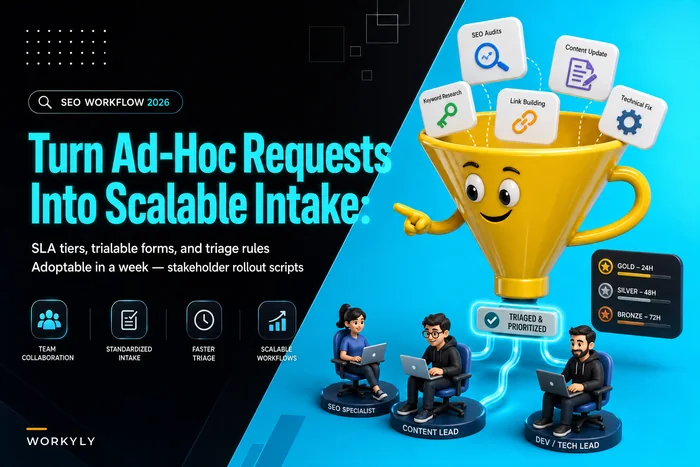

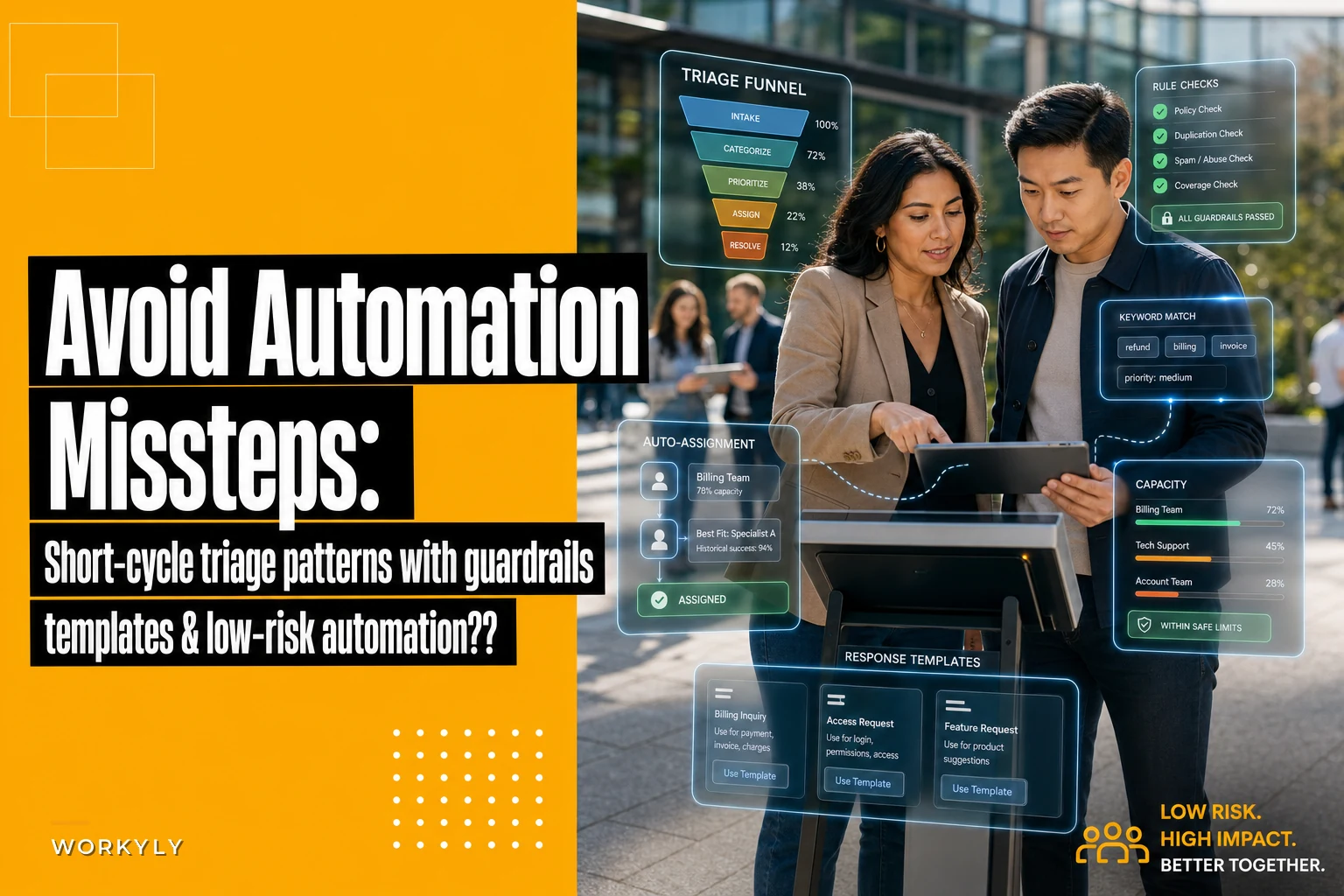

You're drowning in support tickets, customer inquiries, bug reports, and internal requests. Your team spends hours every day just deciding what goes where and who handles what. And most of this work follows predictable patterns that anyone could handle with clear rules.
Teams keep overthinking triage automation. They hire consultants, buy enterprise platforms, or wait months for engineering to build something custom. Meanwhile tickets pile up, response times stretch, and customers get frustrated.
The real problem isn't that automation is hard. It's that teams try to automate everything at once instead of starting with the obvious wins. The pattern is pretty consistent across industries: rule-based triage handles the bulk of repetitive work, and you can set it up without touching code.
Why teams fail at triage automation
Most teams approach automation backwards. They look at their most complex edge cases—tickets that require three departments, requests with fifteen conditional branches, bugs that need deep investigation—and try to build systems that handle those first.
This creates paralysis. Engineering pushes back because requirements keep growing. Operations worries about mistakes. Leadership sees mounting costs with no timeline. Six months later, nothing has changed except the backlog is bigger.
The teams that actually succeed flip this. They start with the boring stuff: password resets, shipping inquiries, refund requests under $50, feature questions with documented answers. These make up 60-70% of incoming volume but only need simple if-then logic to route correctly.
A marketing agency handling 400+ client requests weekly found that 65% followed just four patterns: content approval requests, campaign performance questions, budget adjustments, and meeting scheduling. They spent three months trying to build a complex workflow system before realizing most requests could be handled with basic routing rules.
The difference between failed and successful automation isn't technical sophistication. It's recognizing which tasks actually need human judgment versus which ones just need consistent application of simple rules.
Recipe patterns that actually work in production
The three-tier triage waterfall
Stop losing track of your priorities.
Workyly helps you organize, assign, and track every task efficiently.
- Centralized task management
- Real-time collaboration
- Intelligent workflow automation
No credit card required
Start with severity buckets, not complex scoring. Every incoming request gets one of three labels: urgent (system down, data loss, security), standard (feature requests, general questions), or low (nice-to-haves, future considerations).
Operationally, it looks like this:
Urgent tier rules:
-
Keywords
"down", "broken", "can't access", "lost data", "security"
-
Source
VIP customers, production monitoring, C-level executives
-
Auto-assignment
On-call engineer or senior support
-
Response SLA
15 minutes acknowledgment, 2 hours resolution
Standard tier rules:
-
Everything not urgent or low priority
-
Auto-assignment
Round-robin to available agents
-
Response SLA
4 hours acknowledgment, 24 hours resolution
Low tier rules:
-
Keywords
"someday", "nice to have", "when you get time"
-
From
Internal teams, feature suggestions, minor UI feedback
-
Auto-assignment
Weekly batch queue
-
Response SLA
5 business days
A logistics company processing 200+ delivery exception reports daily reduced average response time from 6 hours to 45 minutes using just this three-tier system. No machine learning, no complex scoring—just clear rules applied consistently.
Templated response chains with escape hatches
The biggest time sink in triage isn't routing—it's writing the same responses over and over. Teams craft variations of "we've received your request and are looking into it" hundreds of times per week.
Build response templates that chain together based on request attributes:
| Request Type | Initial Response | Follow-up (if no resolution in 24h) | Escalation (48h) |
|---|---|---|---|
| Bug Report | "Thanks for reporting this issue. We can reproduce the problem and are investigating. Ticket #[ID] created." | "Quick update: our team identified the root cause. Fix targeted for [DATE]." | "This is taking longer than expected. [MANAGER] is now overseeing resolution." |
| Feature Request | "Interesting idea! We've logged this as enhancement #[ID]. Current priority: [LOW/MEDIUM/HIGH] based on [CRITERIA]." | "Your request is in our quarterly planning review. We'll update you by [DATE] with a decision." | "After review, we've decided to [IMPLEMENT/DEFER/DECLINE]. Here's why: [REASON]" |
| Access Issue | "Let's get you back in. Please try: [STEPS]. If that doesn't work, reply with error details." | "Since the standard fix didn't work, I'm escalating to our access team. They'll contact you within 2 hours." | "Our senior engineer will schedule a screenshare session today to resolve this directly." |
Templates aren't just about saving typing time. They create predictable communication patterns that customers learn to recognize and trust. A retail platform with 40 stores reduced support escalations by roughly 30% just by making automated responses more specific and action-oriented.
Auto-assignment heuristics that prevent cherry-picking
Random round-robin assignment seems fair but creates operational chaos. Senior agents get stuck with simple tickets while juniors struggle with complex issues. Performance varies wildly. Customers notice.
Better approach: capability-based routing with load balancing.
Map your team's strengths:
-
Agent A
Billing, refunds, payment issues (limit: 8 concurrent)
-
Agent B
Technical bugs, API questions (limit: 5 concurrent)
-
Agent C
Onboarding, setup, training (limit: 10 concurrent)
Then create assignment rules:
IF ticket contains "payment", "billing", "invoice", "refund" AND Agent A has < 8 active tickets THEN assign to Agent A ELSE IF ticket contains "API", "integration", "webhook", "error" AND Agent B has < 5 active tickets THEN assign to Agent B ELSE IF ticket from new customer (< 30 days) AND Agent C has < 10 active tickets THEN assign to Agent C ELSE assign round-robin to available agent
This isn't complex. Any ticketing system with basic automation can handle these rules. The concurrent limits prevent overload while skill matching improves resolution quality.
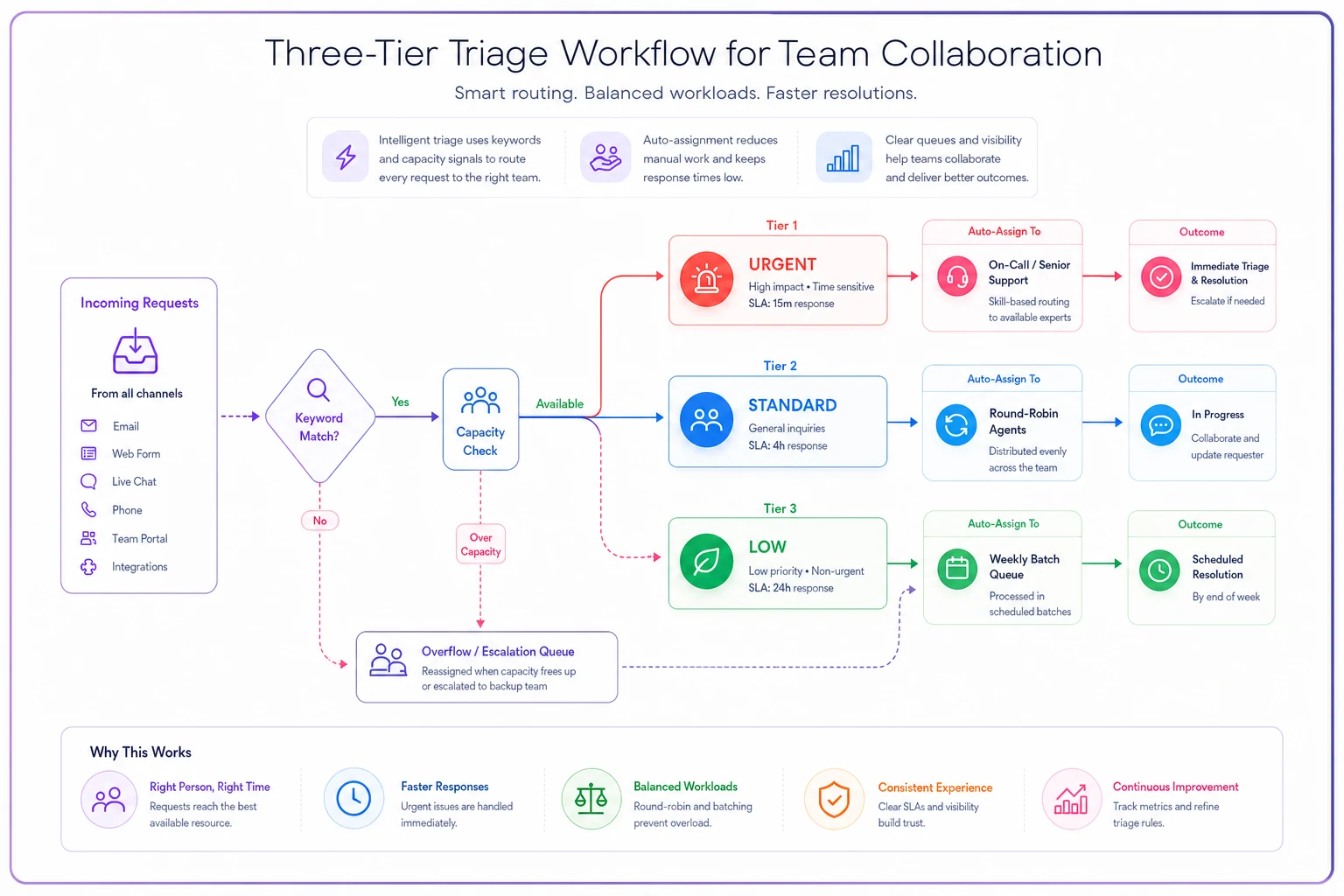
A simple visual to map keywords, buckets, and assignment flow helps teams implement the rules consistently.
Critical guardrails most teams miss
The override button nobody wants to add
Every automation system needs a human escape hatch, but teams resist adding them because it feels like admitting defeat. That's backwards. The override button is what makes automation trustworthy.
Place override triggers at three points:
-
Customer-initiated
"This is urgent" button that bypasses normal routing
-
Agent-initiated
"This needs special handling" flag that breaks the automation chain
-
Time-based
Any ticket approaching SLA breach automatically exits automation
A property management company learned this the hard way. Their automated system routed maintenance requests perfectly—until a water leak got classified as "routine plumbing" and sat for 12 hours. Now they have a simple rule: any ticket with "leak", "flood", or "water damage" triggers immediate human review, regardless of other classification.
The feedback loop that prevents drift
Automation rules decay. What works in January might be completely wrong by June. Customer language changes, team capabilities shift, new products launch. Without feedback mechanisms, a well-tuned system quietly becomes a liability.
Track three metrics weekly:
-
Reassignment rate
How often do agents move tickets after auto-assignment?
-
Template modification rate
How often do agents edit automated responses?
-
Override usage
Which rules get bypassed most frequently?
When any metric exceeds 20%, that rule needs adjustment. This isn't failure—it's the system working as designed. Rules should evolve with your operations.
The containment boundary for risky automation
Not all automation mistakes are equal. A password reset going to the wrong queue is annoying. A complaint about harassment getting an automated "we'll look into it" response could be devastating.
Create explicit boundaries:
Never automate:
-
Legal threats or compliance issues
-
Harassment, discrimination, or safety concerns
-
Requests involving personal data deletion
-
Anything from regulatory bodies
-
VIP customer escalations
Always require human review:
-
Tickets with angry sentiment (multiple exclamation points, caps lock)
-
Requests mentioning competitors
-
Anything with an attachment over 10MB
-
Cross-department issues touching 3+ teams
These boundaries protect your business while still letting automation handle routine work. They're not limitations—they're deliberate choices about where human judgment actually matters.
Building your first automation pattern in 48 hours
Forget grand automation strategies. Pick one specific triage problem and fix it this week.
Day 1 morning: Log every incoming request for 4 hours. Mark each one as "could be automated" or "needs human judgment." You're looking for volume, not complexity. The winner is whatever appears most frequently in the "could be automated" column.
Day 1 afternoon: Write three rules for that request type.
-
How to identify it (keywords, source, metadata)
-
Where it should go (queue, person, or system)
-
What response it should trigger
Day 2 morning: Test your rules against yesterday's requests manually. Would they have worked? What would have broken? Adjust based on what you find.
Day 2 afternoon: Implement the rules in your existing system. Every platform—email, ticketing, even spreadsheets—has some basic automation capability. Use what you already have.
This isn't about perfection. You're looking for 80% accuracy on 20% of your volume. That's still a meaningful win that compounds daily.
Common patterns by request type
Support ticket triage
The classic pattern: urgency × impact matrix, simplified for actual use.
Instead of complex scoring, use binary decisions:
-
Affects multiple users? → High priority
-
Blocking work? → High priority
-
Data loss risk? → Critical priority
-
Everything else → Standard queue
A SaaS platform handling 800 daily tickets dropped median response time from 14 hours to 3 hours with just these four rules. No sophisticated natural language processing—just consistent application of simple logic.
Bug report classification
Most bug triage fails because teams try to determine severity automatically. That's the wrong goal. Focus on routing to the right investigator.
Pattern match on components:
-
UI/display issues → Frontend team
-
Performance/speed → Backend team
-
Data inconsistency → Database team
-
Login/authentication → Security team
-
Everything else → General engineering
Let the assigned team determine severity. Automation just needs to get the ticket to someone who can actually evaluate it properly.
Feature request bucketing
Feature requests don't need immediate responses, but they need proper categorization for product planning.
Auto-tag based on request characteristics:
-
Mentions competitor feature → Competitive analysis
-
From paying customer → Revenue retention
-
Multiple requests for same thing → Popular demand
-
Technical enhancement → Engineering backlog
-
Workflow improvement → UX research
This tagging happens quietly in the background, building a useful dataset for quarterly planning without any manual effort.
Integration points that multiply impact
Connect triage to team capacity
Static rules break when teams are overwhelmed. Your "assign to Sarah" rule doesn't help when Sarah has 47 open tickets.
Pull capacity data into your rules:
-
Check calendar for out-of-office
-
Count open tickets per agent
-
Factor in ticket complexity scores
-
Consider end-of-day timing
Even basic capacity awareness prevents the death spiral of overloaded agents getting buried while automation keeps sending them more work.
Link automation to knowledge bases
Half of incoming requests have documented answers somewhere. But customers can't find them, and agents waste time copying and pasting the same content.
For any request matching a known pattern:
-
Auto-attach relevant documentation
-
Include a direct link in the response
-
Flag if documentation might be outdated
-
Track whether the customer responds after receiving docs
This creates a virtuous cycle: better documentation reduces tickets, which frees time to improve documentation further. Converting meetings into clear action items follows a similar principle—clear documentation prevents future confusion.
Sync with existing intake systems
Your automation doesn't exist in isolation. It needs to work with however requests currently enter your system.
Common integration points:
-
Email aliases that auto-tag based on address
-
Web forms that pre-categorize based on selections
-
Slack channels that route based on which one was used
-
API webhooks that classify based on source system
The automation layer sits between intake and assignment, applying rules regardless of entry point. This is the same approach successful teams use when they turn ad-hoc requests into scalable intake systems.
Measuring success without complex analytics
You don't need a dashboard with 50 metrics. Track three numbers weekly:
-
Response time to first meaningful action
Not just "we got your request" but actual next steps. This should drop 40-60% in the first month.
-
Percentage of tickets needing reassignment
Started at 35%? Should be under 10% within 6 weeks. Higher means your rules need tuning.
-
Agent satisfaction score
Ask your team weekly whether automation helped or hurt. Plot the trend. It should improve steadily as rules mature.
A customer success team at a fintech startup tracked just these three metrics. Within a couple months, they cut response time by around 65%, reduced reassignments to 8%, and had their highest team satisfaction scores ever. No complex analytics—just consistent measurement of what actually matters.
When not to automate triage
Some situations make automation actively harmful:
-
Your request types change daily
Automation needs patterns. If every day brings completely novel requests, rules won't help.
-
You have fewer than 20 requests daily
The overhead of maintaining automation exceeds manual handling time.
-
Your team is smaller than 3 people
Everyone knows everything anyway. Automation adds complexity without benefit.
-
You're in rapid pivoting mode
Startups finding product-market fit shouldn't lock in processes that might be irrelevant next month.
-
Regulatory requirements demand human review
Healthcare, financial services, and legal matters often require documented human decisions.
If any of these apply, focus on better manual processes first. Automation amplifies good processes but can't fix broken ones.
The compound effect of incremental automation
Every small automation compounds. A five-minute manual task done 10 times daily? Automating it saves nearly an hour. Multiply that across your team, across all the small repeated decisions, and you're looking at dozens of hours weekly freed up.
But the real value isn't time saved—it's consistency gained. Humans make different decisions when tired, stressed, or rushed. Rules don't. Your Tuesday morning triage matches your Friday afternoon triage. Customers notice and appreciate the predictability.
A creative agency started with one rule: automatically assign website updates to their junior developer if the ticket contained the word "typo." Six months later, they had 30+ rules handling half their incoming work. Response times dropped, quality improved, and the team could focus on actual creative work instead of request routing.
Start small. Pick one pattern. Write three rules. Set up basic guardrails. Measure what matters. Adjust based on reality.
Most teams never need complex AI or enterprise platforms. They need clear rules, applied consistently, with escape hatches for edge cases. The patterns in this guide work across industries, team sizes, and request types—and can be implemented with whatever tools you already have.
The choice isn't between perfect automation and manual chaos. It's between starting with simple patterns today or waiting for a perfect system that never arrives. Your backlog isn't getting smaller. But with rule-based triage automation, you can handle more requests, more consistently, with less stress.
That's operational leverage. And it starts with one simple rule, implemented tomorrow morning.
Ready to boost your team's productivity?
Join 5,000+ teams using Workyly to streamline workflows, improve communication, and deliver projects faster.