

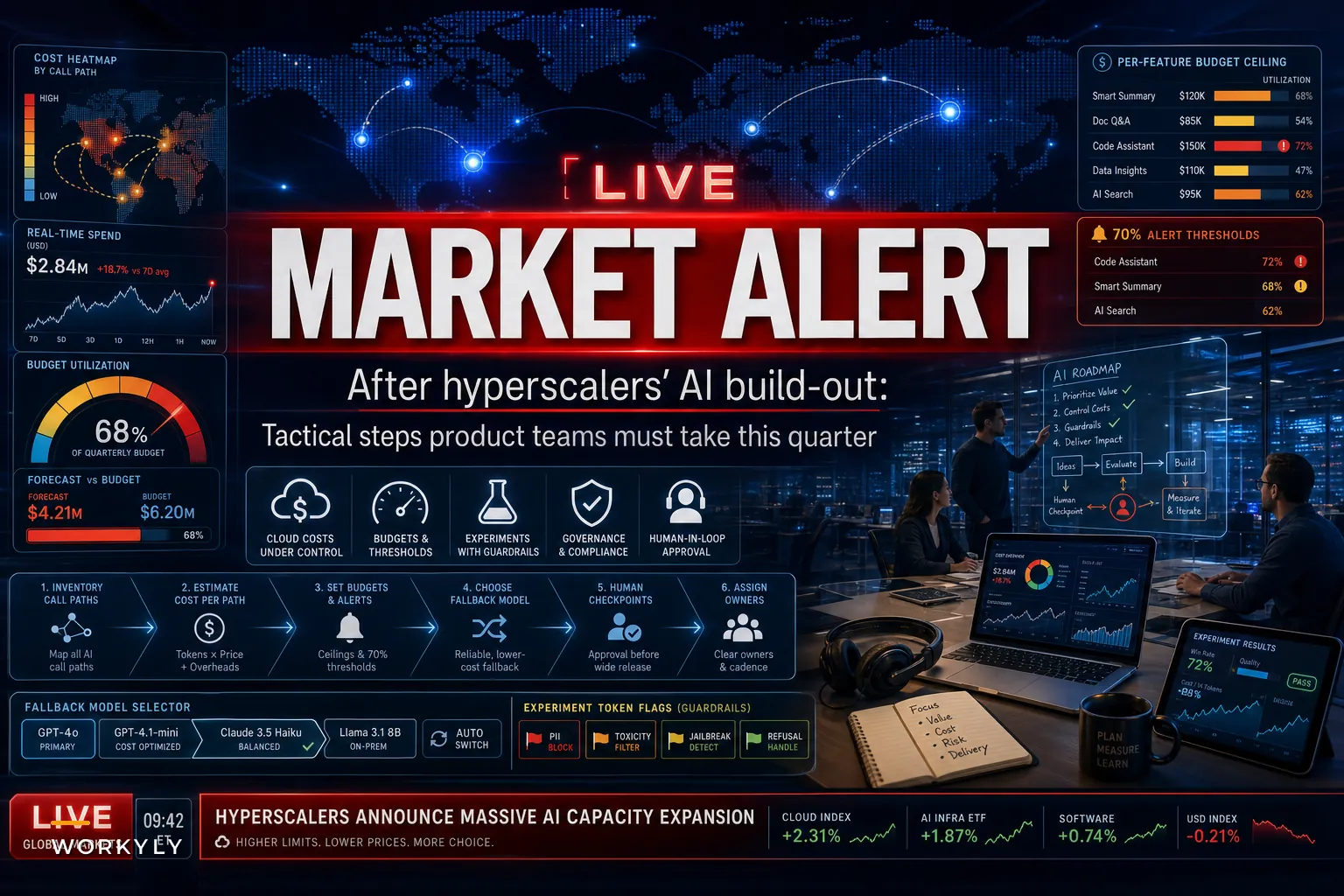

When AWS reported 39% revenue growth and laid out another round of AI capacity spending in late October, the headline everyone fixated on was the growth number. CNBC framed it as cloud rivals accelerating alongside Amazon, and Reuters noted the same growth story sitting next to softer Q4 retail projections. Fine. But if you run product, engineering, or ops at a SaaS company, the earnings call isn't really the story. The story is what lands on your plate about six weeks later.
More hosted GPU capacity means vendors will ship new AI features fast. Your account rep will call. Some PM on your team will spin up a prototype over a weekend because the API is finally available and the latency finally works. And then your AWS bill for November will arrive looking different than October's, and nobody will be entirely sure why.
That gap — between "AI capacity is suddenly easy to get" and "we have no idea what it's costing us per feature" — is the real operational event here. Hyperscaler expansion doesn't reduce your spend. It removes the friction that was accidentally protecting your budget.
This post is about what to actually do this quarter, before the drift compounds.
Why the friction mattered more than you think
For the last couple of years, a lot of teams kept AI costs under control by accident. Rate limits, waitlists, model availability, and plain old latency acted as a brake. You couldn't throw a large model at every request even if you wanted to, so you didn't.
That brake is coming off. When compute is abundant and the vendor is actively nudging you toward their newest AI service, the path of least resistance becomes "just call the model." And AI cloud costs behave very differently from the fixed infrastructure costs most finance teams grew up budgeting around.
| Cost type | Behaves like | How it shows up | What breaks |
|---|---|---|---|
| Traditional compute (EC2, RDS) | A subscription | Predictable monthly baseline | Easy to forecast, slow to surprise |
| AI inference / token spend | A utility meter | Scales with usage, per-request | Invisible until the bill, hard to attribute |
| Vendor AI features (managed) | A convenience tax | Bundled, opaque pricing | Lock-in, unclear marginal cost |
The problem isn't that AI inference is expensive per call. It's that it's variable per call, and most product orgs have zero instrumentation to tie a token spend back to a specific feature, customer segment, or experiment. You find out something is expensive when it's already expensive.
And the feature that blows the budget is almost never the flagship AI feature everyone reviewed. It's the small helper — an autocomplete, a summarizer, a background classification job — that someone wired into a high-traffic path without anyone modeling the volume.
The underlying problem this exposes
Easy access to AI capacity doesn't create a budgeting problem. It reveals one that was already there: most teams ship AI features without a cost-per-outcome model.
Stop losing track of your priorities.
Workyly helps you organize, assign, and track every task efficiently.
- Centralized task management
- Real-time collaboration
- Intelligent workflow automation
No credit card required
Think about how a normal feature gets approved. Someone estimates engineering effort, maybe hosting cost, and the expected lift. With an AI feature, the "hosting cost" line is often a shrug — "it's a few cents per call" — multiplied by a usage number nobody actually projected. A few cents per call sounds trivial until you remember a moderately active B2B product can generate tens of thousands of those calls a day.
A realistic version of how this goes sideways:
A mid-size SaaS team adds an AI "draft reply" button inside their support inbox. In testing, it costs about a penny per generation. Nobody projects adoption carefully. It launches, agents love it, and they start generating three or four drafts per ticket because regenerating is free to them. Volume quietly 5x's the original estimate. The team expected maybe $400–$600 a month. The November bill shows closer to $2,800, and it takes two weeks and a grumpy finance Slack thread to figure out which feature caused it.
Nothing here was a bad decision in isolation. The failure was structural: no attribution, no budget guardrail, no owner watching the meter. Abundant capacity makes this worse, because now there are ten of these features instead of one.
What to actually do this quarter
Resist the urge to either freeze all AI work or green-light everything because "the capacity is there now."
Both are lazy responses. Here's a sequence that protects delivery without pretending AI isn't happening.
-
Inventory every live AI call path — not features, call paths. One feature can hit three different models. List each one: what triggers it, which model, estimated monthly volume, and who owns it. Most teams discover two or three call paths nobody remembered shipping.
-
Attach a cost estimate to each path, even a rough one. Volume × price per call. You're not chasing precision. You're finding the three paths that represent 80% of spend so you can watch those.
-
Set a per-feature monthly budget ceiling and an alert at 70%. This is the single highest-leverage move. A ceiling turns an invisible utility meter into something that pages someone before it's a crisis, not after.
-
Pick a fallback model for every non-critical path. For the support-draft example, do you need the frontier model, or does a cheaper, smaller model handle 80% of tickets just fine? Tiering by task is where real savings live — usually 40–60% on high-volume helper features.
-
Add a human checkpoint anywhere cost scales with user behavior. If users can trigger unlimited regenerations, that's a cost leak and a quality risk. Rate-limit it, or require a confirmation before expensive operations.
-
Rewrite your vendor SLA questions before you expand usage. Ask about price change notice periods, data portability, and whether the new managed AI service locks you into their ecosystem. The easy integration today is the migration headache in eighteen months.
A quick visual of that sequence helps teams align on owners and alerts.
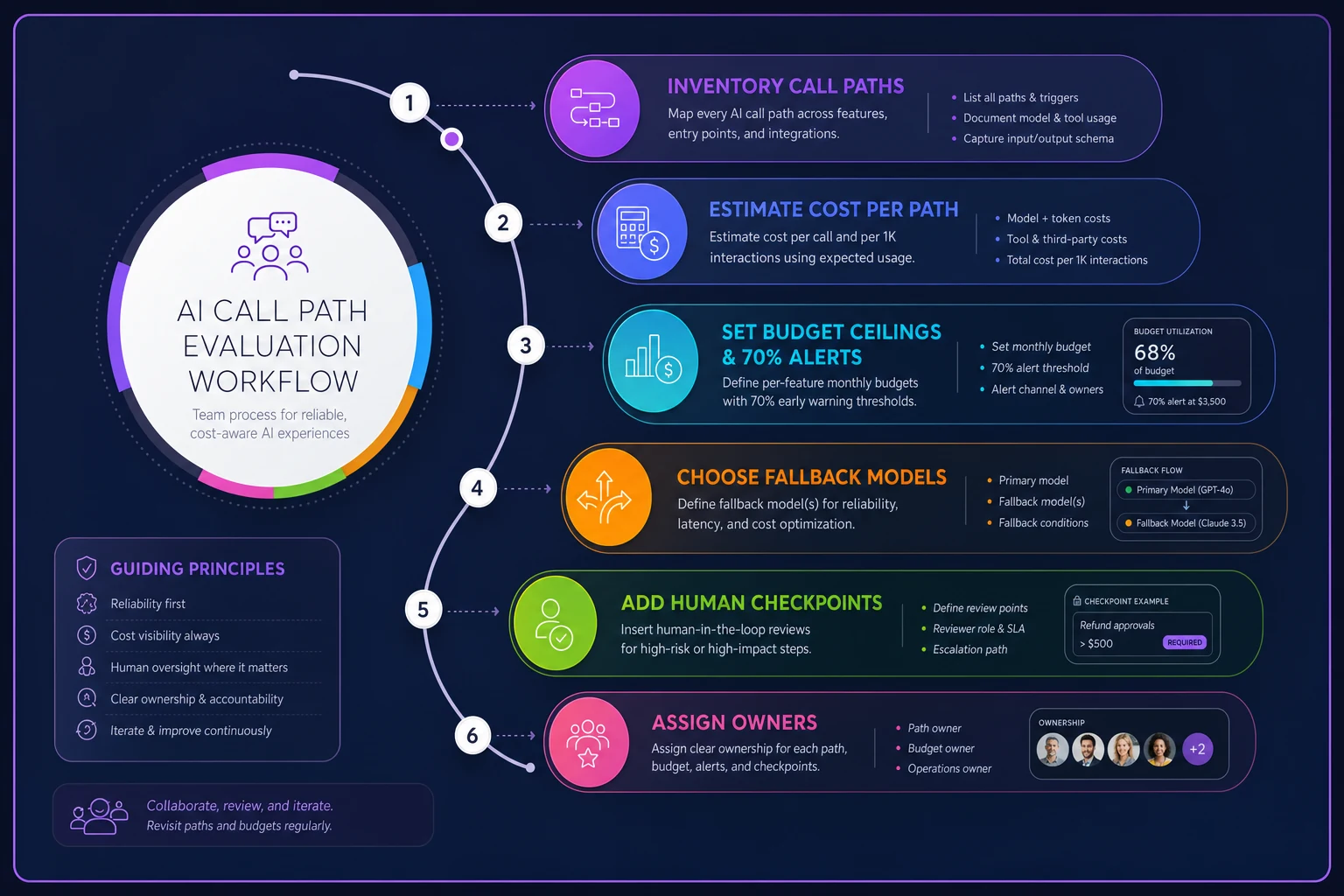
Set alerts to page a person who can cut or throttle traffic, not just post to a channel.
Set a per-feature monthly budget ceiling and an alert at 70%. This is the single highest-leverage move. A ceiling turns an invisible utility meter into something that pages someone before it's a crisis, not after.
A short pre-expansion checklist
Before anyone ships a new AI feature on the freshly abundant capacity, run it through this:
-
[ ] Projected monthly call volume at realistic adoption, not pilot adoption
-
[ ] Cost per call × that volume, written down somewhere a human will see it
-
[ ] A named owner for the cost line, not just the feature
-
[ ] A budget ceiling with an alert threshold
-
[ ] A cheaper fallback model identified for non-critical use
-
[ ] A rollback or kill-switch that doesn't require a deploy
-
[ ] A note on vendor lock-in
how hard is it to leave this service?
If a feature can't clear this list in an afternoon, it's not ready to ride the new capacity. That's not bureaucracy — it's the difference between a $600 feature and a $2,800 surprise.
When accelerating AI work actually makes sense
Not everything should wait.
Lean in when:
-
The AI feature sits on a bounded, low-volume path where cost can't run away — internal tooling, admin workflows, batch jobs you control.
-
You have a clear outcome metric tied to the feature, so you can actually tell if the spend is worth it.
-
The new vendor capability removes real infrastructure you'd otherwise maintain, and the lock-in tradeoff is one you've consciously accepted.
The AI feature sits on a bounded, low-volume path where cost can't run away — internal tooling, admin workflows, batch jobs you control.
When it's a bad idea
Hold back, or at least slow down, when:
-
The feature lives on an uncapped, user-triggered, high-traffic path with no rate limiting.
-
You can't yet attribute spend per feature — adding more AI features before you can measure them just multiplies the blind spots.
-
The only reason to ship now is that the vendor sales team said the capacity is available. Availability is not a roadmap.
The feature lives on an uncapped, user-triggered, high-traffic path with no rate limiting.
Who should not be making these calls alone
The people approving AI feature budgets are often non-engineering owners — product leads, ops managers, founders. They can read a token-price page but can't see the volume math, and engineers see the volume but don't own the P&L. That split is exactly where cost drift grows.
The fix isn't technical gatekeeping. It's a shared, lightweight governance layer so non-engineering owners can approve, monitor, and cap AI spend without needing to read code. If you're building that muscle from scratch, the automation and AI governance framework for non‑engineering owners is a practical starting point — it covers ownership, approval gates, and the monitoring cadence that keeps this from becoming a quarterly fire drill.
A real scenario, start to finish
A B2B scheduling SaaS, roughly 40 people, decided to add AI-generated meeting summaries after their cloud provider rolled out a cheaper inference option. The pilot looked great: about a cent and a half per summary, high user approval.
They almost shipped it with no guardrails. Before launch, someone ran the realistic-adoption math and realized power users would generate summaries on nearly every meeting — projecting somewhere around $3,500–$4,000 a month, not the few hundred the pilot implied.
Instead of killing the feature, they tiered it. Short meetings got a smaller, cheaper model. Long or flagged meetings got the premium one. They capped per-account monthly generations on lower plans and set an alert at 70% of a $2,000 ceiling. Actual spend landed closer to $1,600 a month, the feature shipped on schedule, and finance never got surprised. The feature was never the risk — the missing cost model was.
Hyperscaler expansion is genuinely good news for product teams. More capacity, better models, lower friction. But friction was doing quiet budgeting work for you, and now it's gone. The teams that come out ahead this quarter won't be the ones who adopt AI fastest — they'll be the ones who can tell you, per feature, what each AI call costs and who's watching the meter.
Treat AI cloud costs like a utility you're responsible for metering, not a line item you true up at the end of the month. Build the attribution now, while you only have two or three AI features to track. In six months, when you have twelve, you'll be very glad you did.
Ready to boost your team's productivity?
Join 5,000+ teams using Workyly to streamline workflows, improve communication, and deliver projects faster.